


How to sync Airbnb and Booking.com calendars: steps, delays and avoiding double bookings
HostBooking · · Чтение: 8 мин
You sync Airbnb and Booking.com calendars over iCal, for free: copy one side’s calendar link into the other, then do the reverse. On Booking.com it lives under Rates & Availability → Sync calendars; on Airbnb under Calendar → Availability → Connect calendars. Airbnb re-reads every 3 hours and Booking.com every 2, so last-minute bookings can still clash.
What do you need before syncing?
Airbnb asks almost nothing: each listing has its own calendar link, and any link you import must end in .ics. Booking.com is stricter. According to Booking.com’s calendar sync guide, the sync option only appears when all five conditions hold:
- The property is open and bookable (Open/Bookable).
- Your user has Rates & Availability permission in the Extranet.
- The property has 20 room types or fewer.
- Each room type has a single unit.
- You do not use a Connectivity provider, meaning a channel manager connected to Booking.com by API.
The fourth rule is where most homestays get stuck. Booking.com’s own example: "Sea-view studio A", "Sea-view studio B" and "Loft C" are three types of one unit each, which is fine; a "Standard double room" with five identical units is not. If you sell four identical rooms under one type, either split them into four one-unit types and link each, or use a channel manager. Airbnb works per listing, one room per listing, so it has no such limit.
| Airbnb | Booking.com | |
|---|---|---|
| Where the links live | Calendar → pick the listing → Availability → Connect calendars → Connect to another website | Extranet → Rates & Availability → Sync calendars |
| Automatic refresh of imports | Every 3 hours | Every 2 hours |
| Manual refresh | Refresh Calendar, limited number of uses | Import now |
| Valid link | Imported link must end in .ics | Booking.com export links contain "/ical/" |
| Conditions | None, one link per listing | Up to 20 room types, one unit each |
How do you put the Booking.com calendar into Airbnb?
Button names below are the English Extranet labels from Booking.com’s help page (checked 18/11/2026). With the Extranet in another language, the same items sit in the same places under translated names.
- Sign in to the Booking.com Extranet, click Rates & Availability, then Sync calendars.
- On the right room, click Add calendar connection, then Skip to export (export first, import later).
- Name the connection, for example "Airbnb", and click Copy link.
- On Airbnb on the web, click Calendar, pick the listing, click Availability. In the Airbnb app: Calendar → pick the listing → Settings (gear icon) → Availability.
- Under Connect calendars, choose Connect to another website.
- Paste the Booking.com link into the calendar address field, give it a clear name such as "Booking.com room 2", and click Add calendar.
How do you put the Airbnb calendar into Booking.com?
- Still on Airbnb’s Connect to another website screen, copy the listing’s Airbnb calendar link. Each listing has its own.
- Back on the Extranet Sync calendars page, click Complete setup on that room if you skipped the import earlier; otherwise click Add calendar connection.
- Paste the Airbnb link, name the connection ("Airbnb"), click Next step, then Done.
- Repeat for each room. One link serves one room only.
According to Airbnb’s calendar sync help page, the exported Airbnb calendar blocks both booked nights and nights you blocked yourself, including those blocked by preparation time, advance notice or minimum stays. Airbnb imports up to two years of data from outside calendars.
How do you know the two calendars are linked correctly?
Booking.com shows a status for each connection on the Sync calendars page. Airbnb shows the last-updated time of each imported calendar.
| Booking.com status | Meaning | What to do |
|---|---|---|
| Activating | The connection is being set up | Wait a few minutes and reload |
| Okay | Both directions linked and working | Nothing |
| Import only | Booking.com takes in Airbnb’s calendar but is not exported to Airbnb | Paste the Booking.com link into Airbnb |
| Export only | Booking.com only exports; Airbnb’s calendar is not imported | Click Complete setup and paste the Airbnb link |
| Service error | Something is wrong with the connection | Check both links; copy fresh ones if either was regenerated |
A status of Okay is not the end of it. Click Import now on Booking.com and Refresh Calendar on Airbnb, then compare one real stay on both sides: right room, right arrival, right departure. Being off by one day usually means the two sides read the check-out date differently; catching it now beats catching it with a guest at the door.
How long do Airbnb and Booking.com take to update each other?
iCal does not push bookings across. Each side fetches the other’s link on its own schedule: Airbnb every 3 hours, Booking.com every 2. Booking.com says plainly that calendars are not synced in real time and can take up to two hours to refresh. Airbnb’s Refresh Calendar pulls sooner, but uses are limited; past the limit you wait for the next automatic update.
An example: Airbnb last read the Booking.com calendar at 13:50. At 14:00 a guest books tonight on Booking.com. Airbnb’s next read is at 16:50, so from 14:00 to 16:50 that night still looks free on Airbnb. The other way round, an Airbnb booking can stay open on Booking.com for up to 2 hours. For stays booked weeks ahead that gap rarely matters. For tonight or tomorrow it is a real risk.
How do you avoid double bookings inside the delay?
- For a booking for today or tomorrow, close that night by hand on the other OTA straight away instead of waiting for iCal.
- Pull right after a last-minute booking: Import now on Booking.com or Refresh Calendar on Airbnb.
- With two or more rooms of a type, keep one back from the OTAs on weekends and holidays, so there is a room to give when both sites take a guest.
- Regenerate a link on one side, paste it on the other at once. The old link stops working without any warning.
- Once a week, open both calendars and compare the next 14 days.
- Not sure a link still works: paste it into the free iCal link checker to see whether it opens and which nights it blocks.
Direct link or a central calendar?
Direct: the Airbnb link goes into Booking.com and the Booking.com link into Airbnb, as in the steps above. Enough if these are your only two channels and you take no phone or repeat bookings.
Central calendar: each OTA imports one link from your software, and the software imports each OTA. It adds a few minutes, but website and walk-in bookings block both OTAs too, you see everything in one place, and the software warns you when a night is double-booked. Do not use both methods for the same room: the calendars end up blocking each other and cancelled nights are hard to release.
What does iCal not sync?
- Prices: a price change on Airbnb does not reach Booking.com.
- Guest details: name, phone and party size do not travel over iCal.
- Booking rules: minimum stay or preparation time set on Airbnb does not carry over to Booking.com. Airbnb also says nights you block by hand on another calendar may not block on Airbnb.
- Google Calendar: Booking.com has no option to sync with Google Calendar.
What to do when Airbnb and Booking.com double-book a room?
Booking.com side: move the guest to a room of the same or better standard if you have one. If not, you must find comparable or better accommodation elsewhere and cover the cost, ideally including transport. Contact Booking.com to mark the reservation as a double booking. Booking.com waives commission on it only if the property has been live under 30 days, or has had no more than four double bookings in 12 months.
Airbnb side: under the Host Cancellation Policy, cancelling a confirmed booking costs 10% of the reservation amount if more than 30 days out, 25% from 48 hours to 30 days before check-in, and 50% within 48 hours, with a USD 50 minimum. Those dates are blocked for other guests, and Superhost status can be lost.
Because Airbnb charges a percentage while Booking.com asks you to rehouse the guest, many owners keep the Airbnb guest and relocate the Booking.com one. Price both, then decide, and tell the guest as early as you can.
Syncing through HostBooking
 Нажмите, чтобы посмотреть
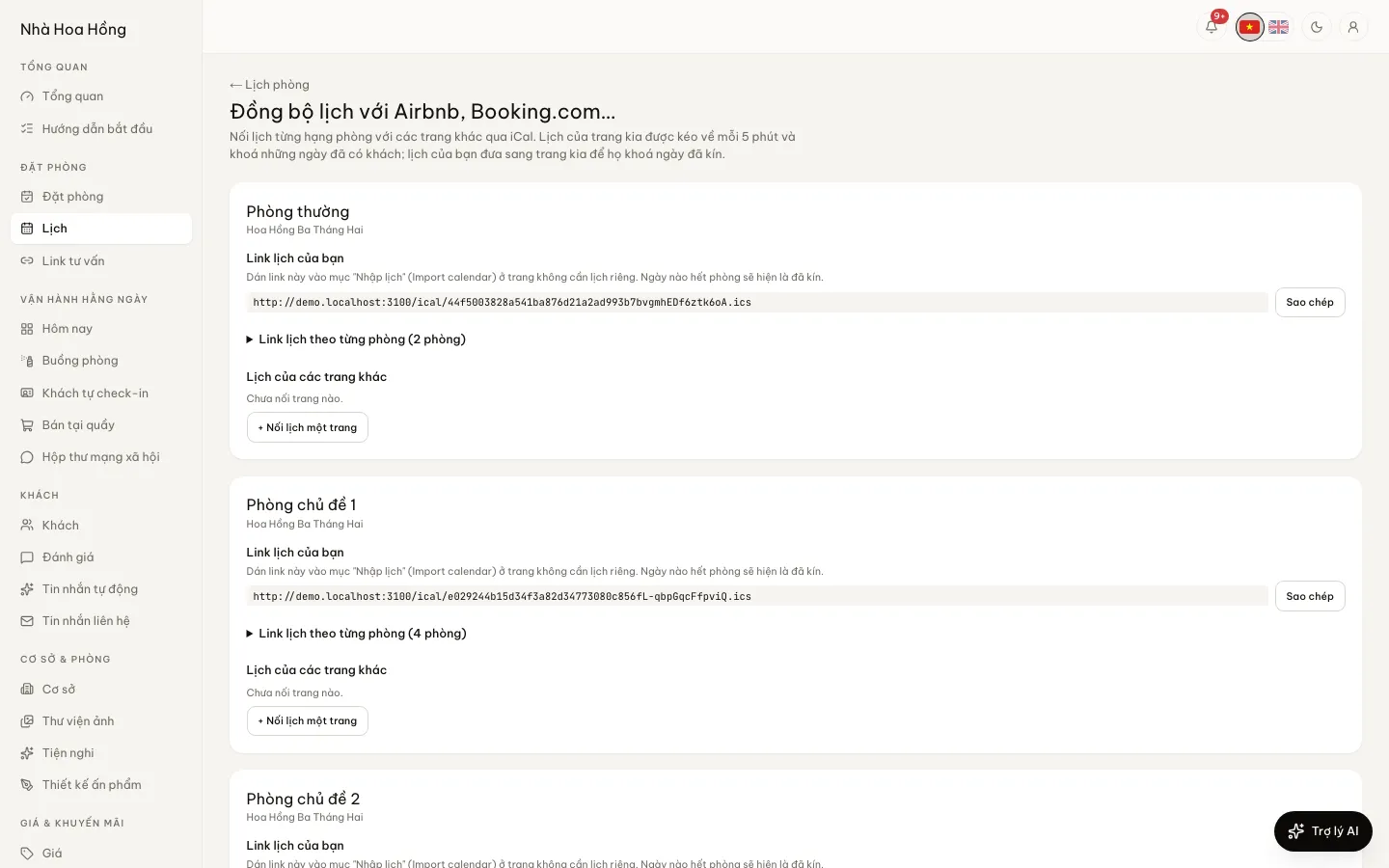
HostBooking’s OTA calendar sync is the central-calendar setup above: it reads Airbnb and Booking.com every 5 minutes, gives each OTA its own link that leaves out that OTA’s own guests, and alerts you as soon as a night is double-booked. The stay carries a red OTA double booking flag, its page lists the free rooms with a Move here button, and you can keep one room of each type back from the OTAs. Airbnb and Booking.com still read your link on their own schedule, so the few-hour gap does not fully disappear. If you forward the booking emails, bookings arrive with the guest name and price. Plans are on the pricing page; the basics of iCal are in the iCal sync guide.
Частые вопросы
How long do Airbnb and Booking.com take to see each other’s bookings?
Airbnb re-reads imported calendars every 3 hours and Booking.com every 2 hours, per their help pages. Both have a manual refresh: Refresh Calendar on Airbnb (limited uses) and Import now on Booking.com.
Where is the Airbnb calendar link in the mobile app?
In the Airbnb app: Calendar, pick the listing, tap Settings (gear icon), then Availability, and under Connect calendars tap Connect to another website. The listing’s Airbnb calendar link is there to copy.
Why won’t Booking.com let me sync my calendar?
Booking.com requires an open, bookable property with 20 room types or fewer, one unit per type, no connectivity provider, and a user with Rates & Availability permission. Room types with several identical units must be split or handled by a channel manager.
If I change the price on Airbnb, does Booking.com follow?
No. iCal only carries booked dates. Prices are set on each OTA, or through a channel manager that syncs rates.
Can I sync my Booking.com calendar with Google Calendar?
Booking.com says it currently has no Google Calendar sync option. Airbnb can export to Google Calendar for viewing, but do not use Google Calendar as the place that blocks rooms for your OTAs.
Which booking do I cancel when Airbnb and Booking.com clash?
It depends. Cancelling on Airbnb costs 10–50% of the reservation, minimum USD 50. Turning away the Booking.com guest means paying for comparable accommodation. Compare the two and tell the guest early.