


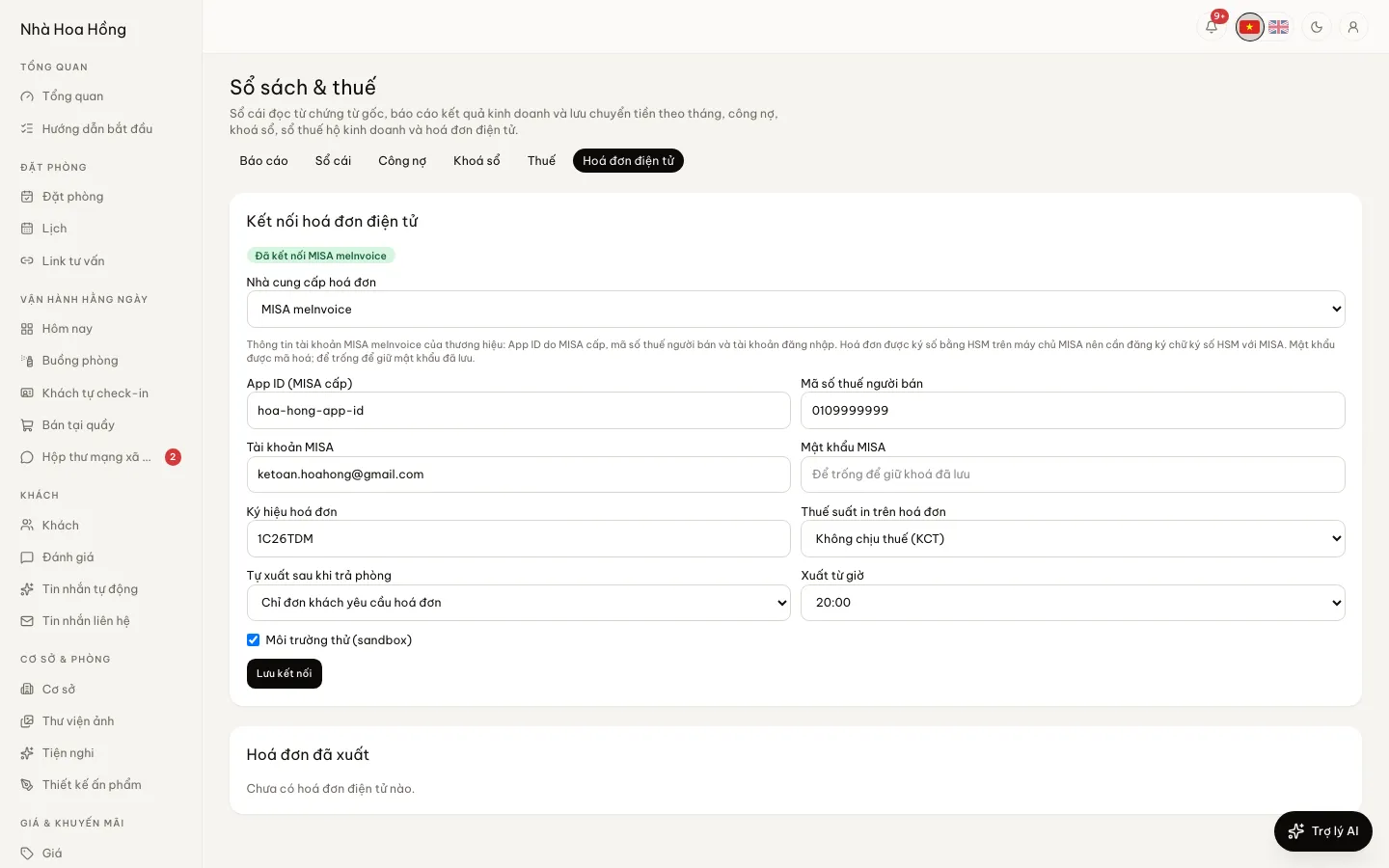
功能介绍
E-invoices
MISA meInvoice or SePay
Use your own invoicing account. MISA signs with an HSM on its servers and returns the invoice number at once.
The right buyer
Guests who need a company invoice give the name, tax code and address when booking; otherwise the invoice is in the guest’s name.
VAT the way you declare it
Choose 0%, 5%, 8%, 10%, not taxed or not declared. With a rate, the pre-tax amount is worked back from what the guest paid, and the total stays the same.
Issued after check-out
Pick an hour of the day and issue for stays whose guest asked for an invoice, or for every checked-out stay.
Issued and failed, tracked
The list shows what was issued, its number, and what failed with the reason, so it can be fixed.
运作方式
几步即可上手
- 1
Open Books & tax, then E-invoice connection, and choose MISA meInvoice or SePay.
- 2
Enter the account details and invoice series, choose the VAT rate; try sandbox first.
- 3
Choose automatic or manual issuing.
- 4
Manually: open a checked-in or checked-out booking and click Issue e-invoice.
Needs a working MISA meInvoice account (with HSM signing registered) or SePay eInvoice. From the Pro plan; other plans can buy the add-on.
常见问题
常见问题
Is a failed invoice retried by itself?
No. It is kept with the provider’s reason; fix the details and issue again by hand, so nothing is issued twice.
Are EasyInvoice or Viettel supported?
MISA meInvoice and SePay eInvoice today. Other providers will be added once their official integration documents are in hand.
How is the invoicing password kept?
Encrypted at rest and never shown again; leaving it empty when saving keeps the saved one.