


功能介绍
Guest profiles
One guest, one profile
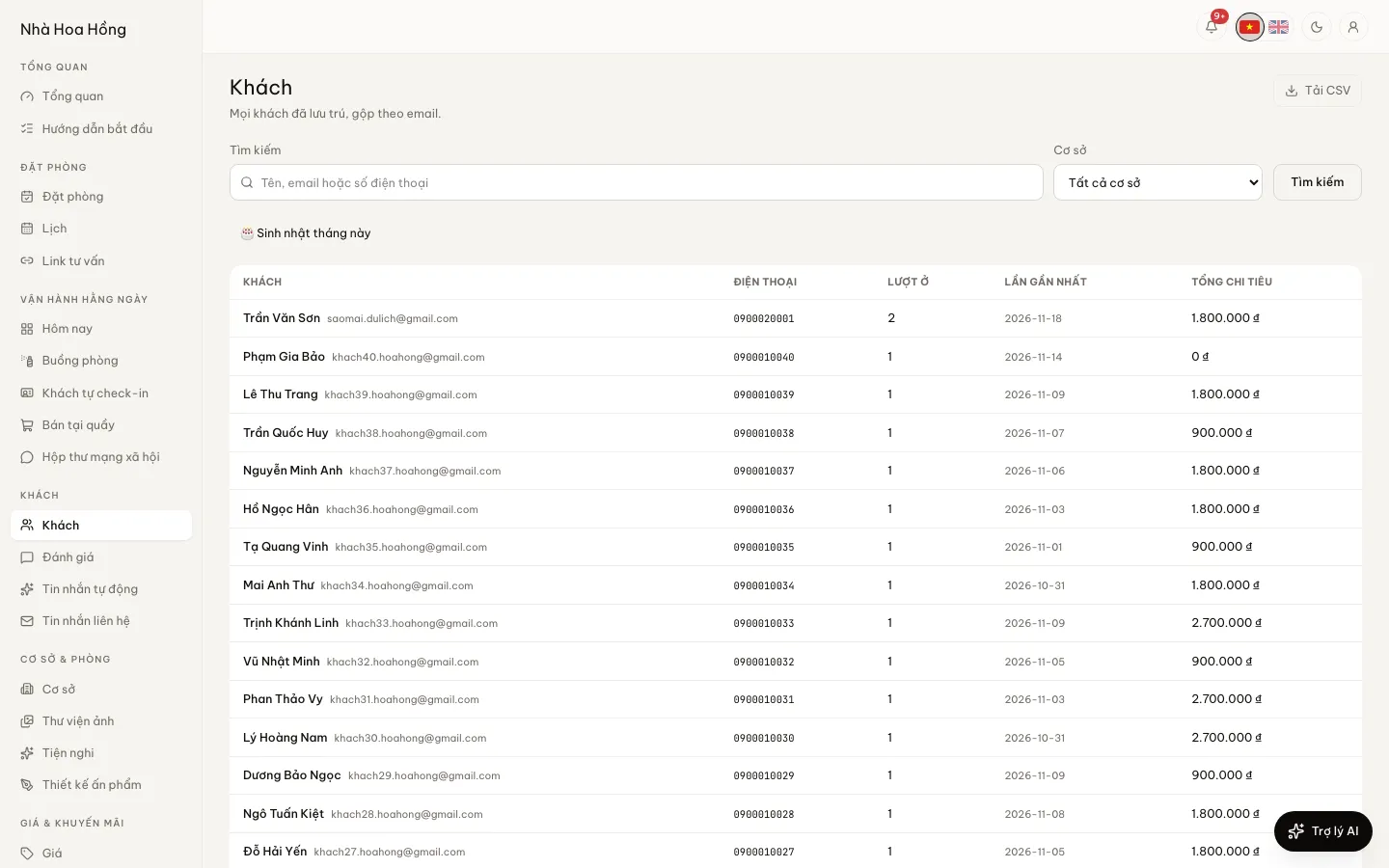
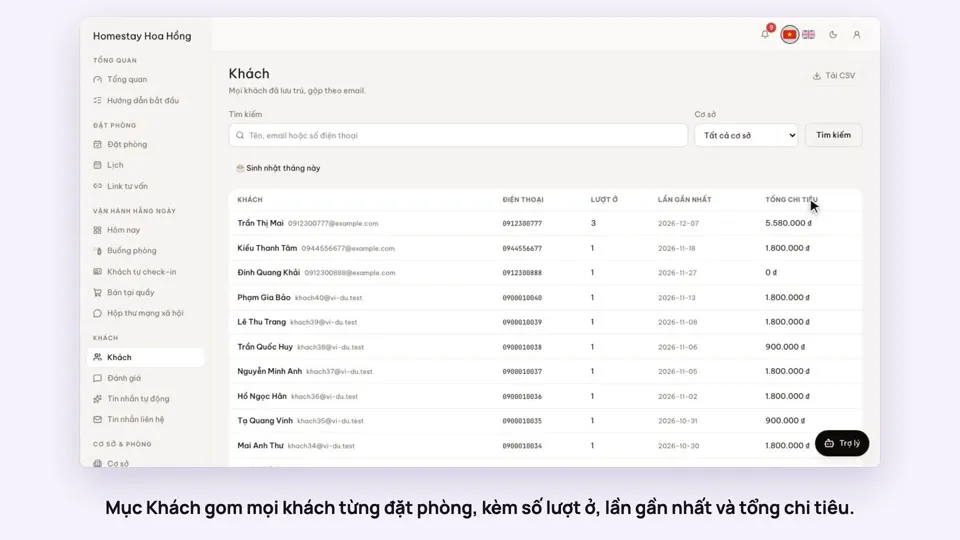
Bookings with the same email merge into one profile, with number of stays, last stay and total spend.
Notes, birthday, tags
Notes are for staff only. Tag guests as VIP, regular or company group and filter by tag.
Birthdays this month
One filter lists guests with a birthday this month, so you can send a greeting or an offer.
Full stay history
The guest page lists every booking: code, property, dates, status and amount.
CSV export and erasure on request
Download the guest list as CSV. When a guest asks, erase their name, email and phone from all their bookings; dates and amounts stay for your books.
运作方式
几步即可上手
- 1
Open Guests. Every guest who has booked already has a profile.
- 2
Search by name, email or phone number.
- 3
Open a guest to add notes, a birthday and tags, then save the profile.
操作视频
常见问题
常见问题
What if a guest books with two emails?
Profiles merge by email, so two emails make two profiles.
Can erasing a guest be undone?
No. Erasure is logged and only people with brand-wide access can do it. Dates and amounts stay for reports.
Can I reward regular guests?
Yes, with discount codes and membership tiers. Membership tiers start on the Professional plan.