


功能介绍
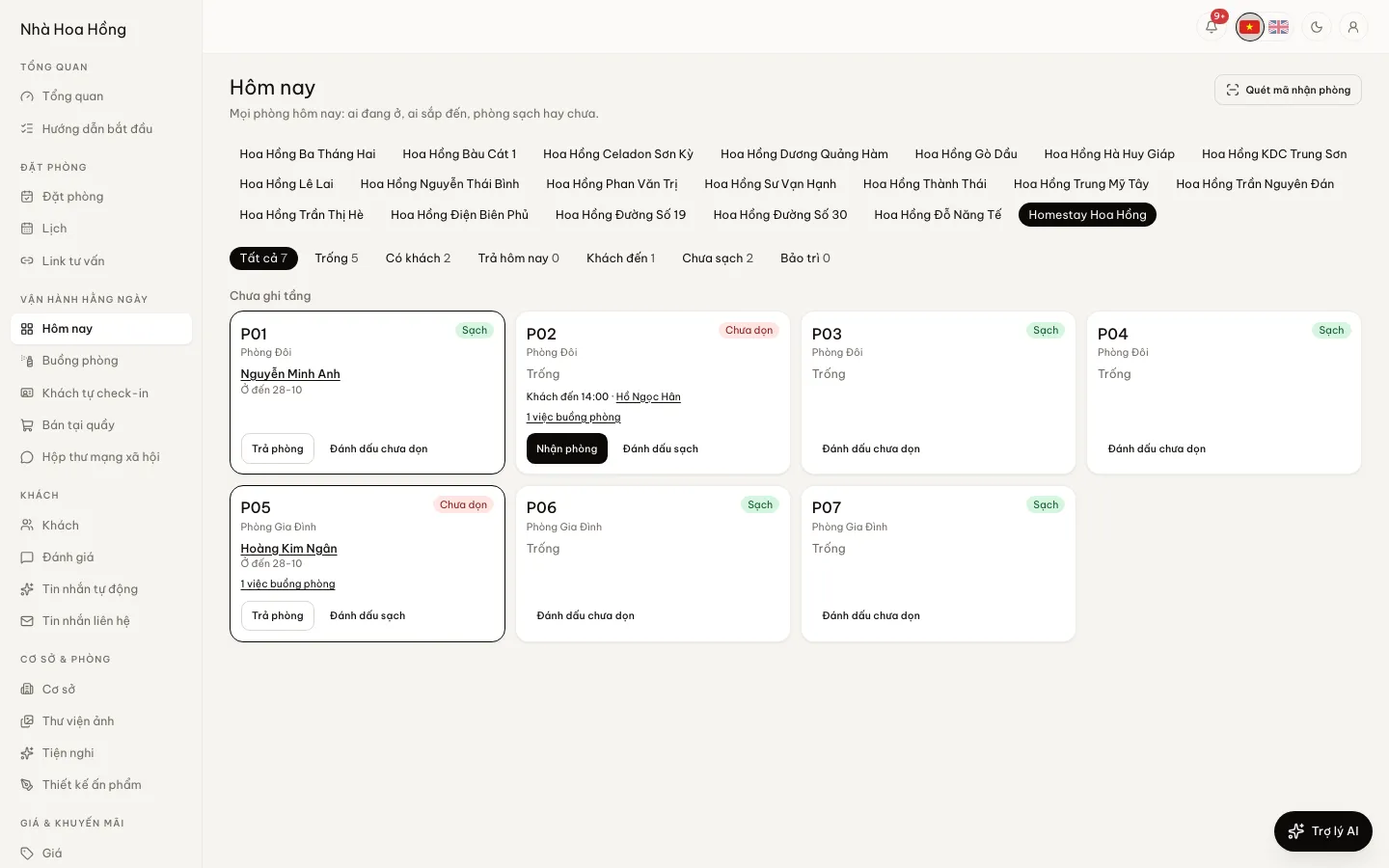
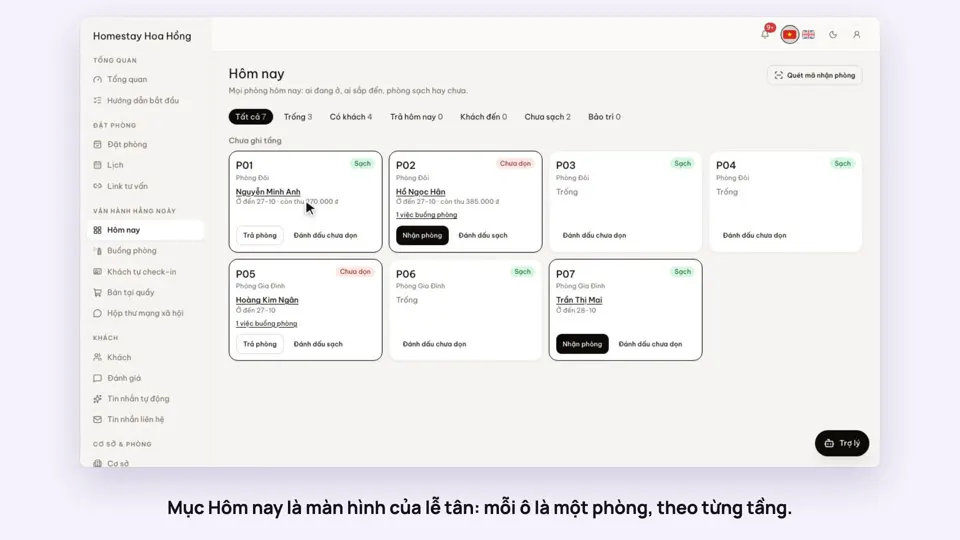
Today room board
A card for every room
Each card says whether the room is free, who is staying and until when, what time they leave, or what time the next guest arrives.
Clean, dirty, maintenance
Housekeeping status is right on the card. Tap to mark a room clean or dirty.
One-tap check-in and check-out
Tap Check in or Check out on the card. Checking out creates a cleaning task in housekeeping.
Quick filters
Filter by free, occupied, leaving today, arriving, not clean or maintenance. Today’s arrivals with no room yet have their own list.
See what is still owed
The card shows the amount still due, so the desk collects it at check-out. Only people allowed to view payments see it.
Rooms grouped by area
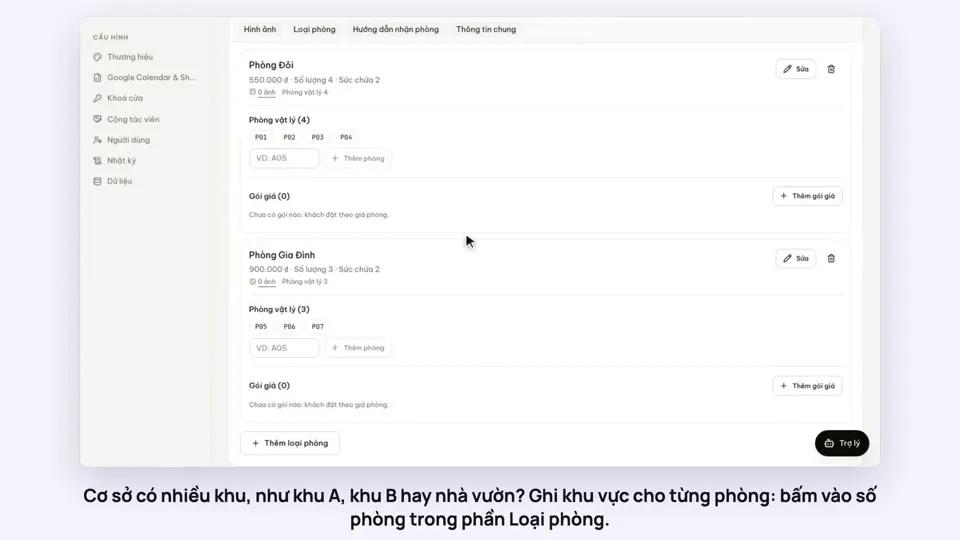
Put rooms into areas such as "Block A" or "Garden house". The board shows rooms by area, and the calendar can be filtered by area.
Dorm rooms sold by the bed
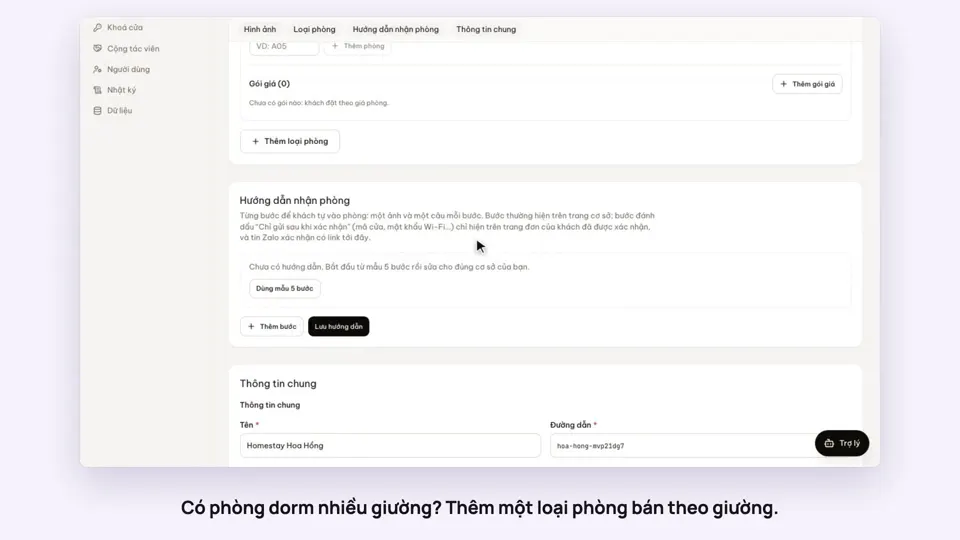
Create a dorm room with N beds in one go, numbered like D101-1, D101-2. The board groups the beds under their room.
运作方式
几步即可上手
- 1
Add room numbers and floors to each room type under Places › Room types.
- 2
Open Today and pick a property.
- 3
When a guest arrives, tap Check in on the card. When they leave, tap Check out.
- 4
Once the cleaning task is marked done, the room goes back to Clean, ready for the next guest.
操作视频

常见问题
常见问题
What if I have not entered floors?
Rooms still show, under "No floor set". Floors only make the board easier to read.
Can cleaners see guest names?
Only if their role may view bookings. The amount due only shows to people who may view payments.
Does it work on a phone?
Yes. The admin runs in the phone’s browser, with nothing to install.