


HostBooking homestay management software: calendar, bookings, QR deposits
HostBooking ·
[HostBooking](/) is homestay management software that runs in the browser and handles the jobs you repeat every day: a room calendar with no double bookings, bookings, QR bank-transfer deposits, staff and revenue reports. Every homestay gets its own booking website so guests can book themselves. HostBooking takes no percentage of your bookings: you pay a monthly plan, and guests pay straight into your bank account.
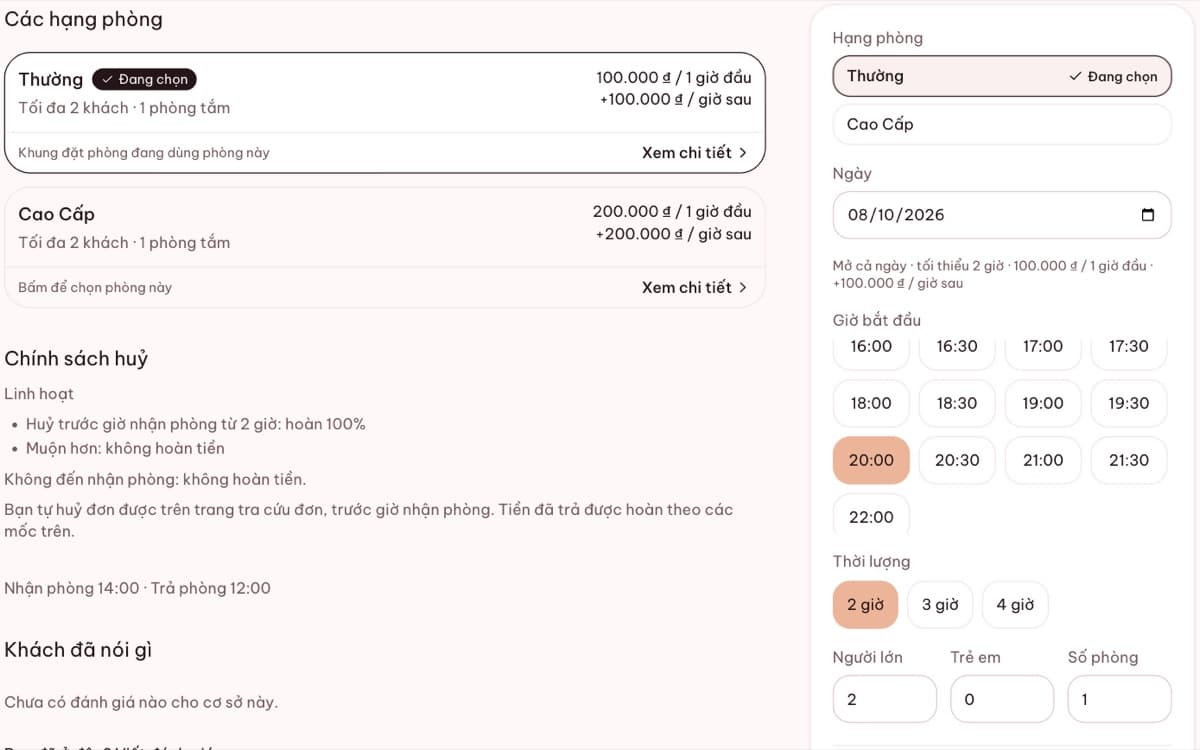
What should homestay management software do?
A small homestay is often run from a notebook, Zalo (Vietnam’s main messaging app) and a Google Sheet. That works with 2–3 rooms, but gets messy once you add rooms, staff or hourly guests. Good software takes care of the jobs that repeat every day:
- One room calendar: see at a glance which rooms are free and which hours are taken, with no double bookings.
- Bookings that come in on their own: guests choose a room and time, book and pay the deposit, with no back-and-forth messages.
- Clear deposits: know which bookings have paid, which have not, and which account the money went to.
- Instant alerts: you hear about new bookings, cancellations and guests about to arrive.
- Staff with their own access: reception sees bookings, the owner sees revenue.
- Numbers to decide with: revenue, occupancy, where guests come from.
Weighing several tools? 10 homestay management software options in 2026 compares their prices and features.
How HostBooking runs a homestay
Two minutes on the real screens, from the booking website to the books. Each task has its own short video in the how-to videos.
Room calendar and bookings
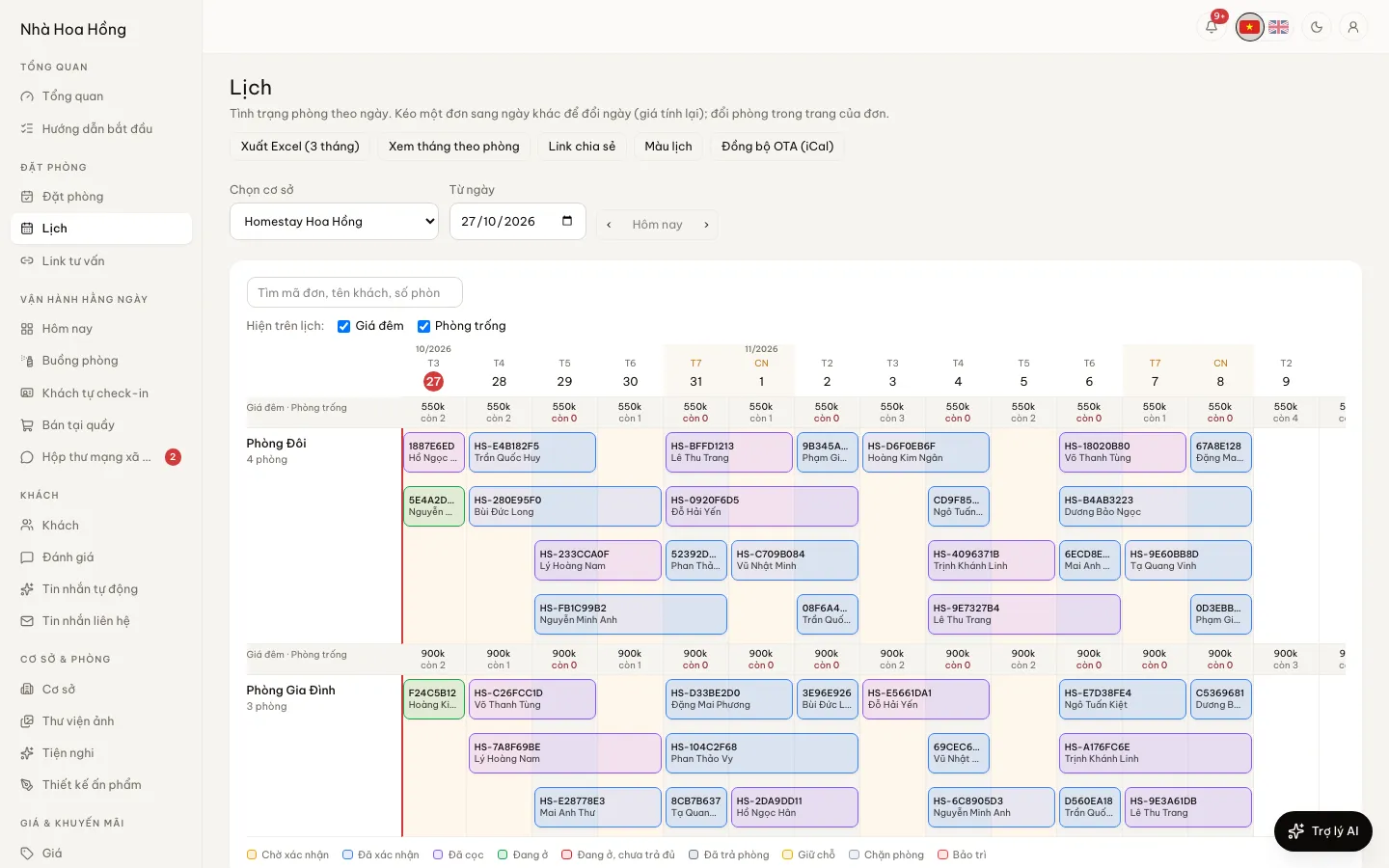
Every booking, whether the guest booked on your website or you typed it in after a phone call, sits on one calendar. It shows days or hours, per room and per property. Once a time slot is taken, the booking page hides it, so two guests can never hold the same room.
 点击查看
Rent by the hour, overnight or by the day
Each room type can sell by the hour, overnight, by the day or a mix. Prices are worked out for you: first hour, each extra hour, weekend rates, holiday rates. See hourly booking software.
QR bank-transfer deposits
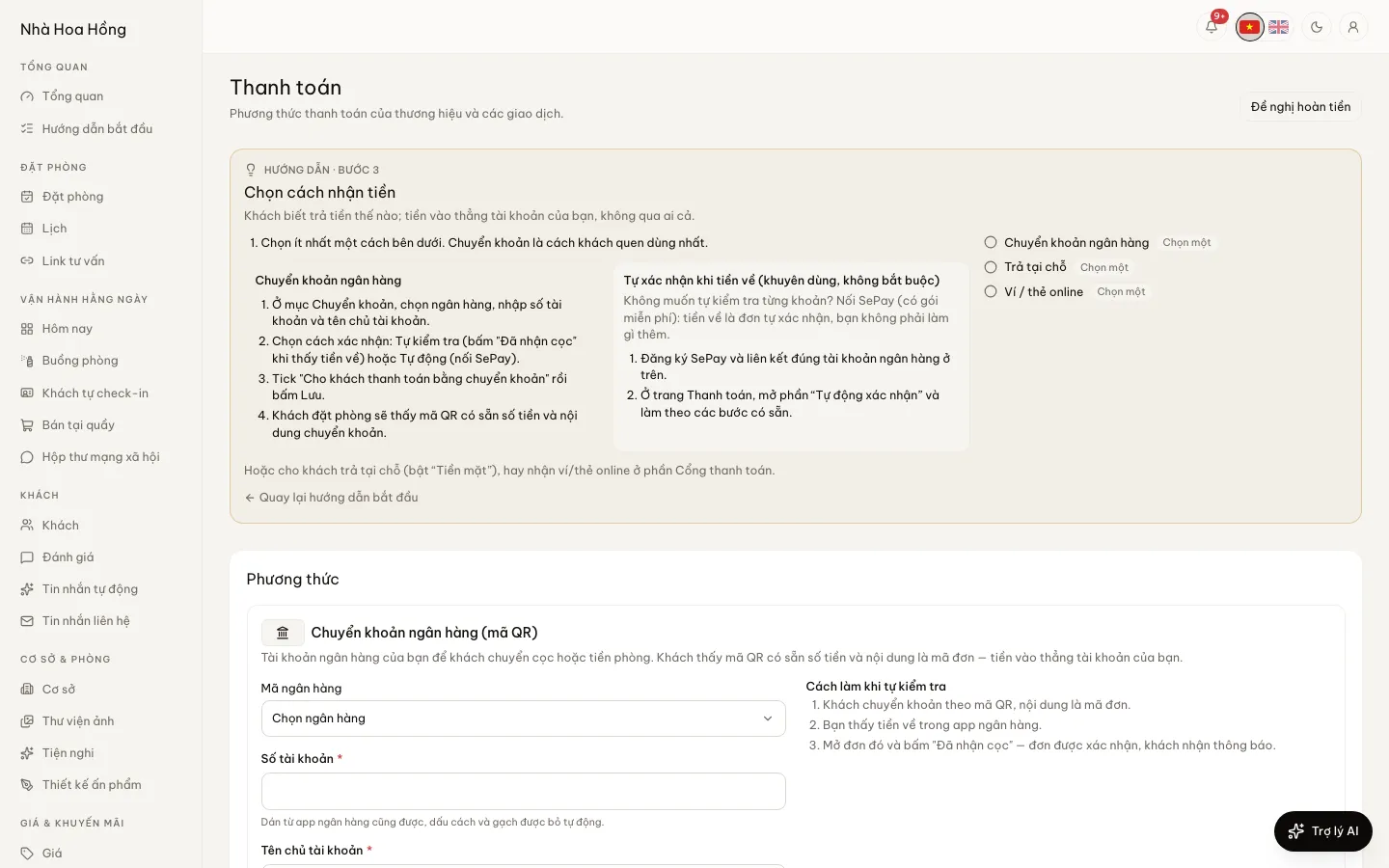
When guests book, they see a VietQR code (Vietnam’s standard bank-transfer QR) with the amount and transfer reference already filled in. The money goes straight into your bank account, with no middleman. You tap "Deposit received" when it arrives, or turn on automatic confirmation. Details in taking QR bank-transfer deposits.
 点击查看
Staff and several properties
Add staff with their own roles, for example manager of one property, or reception that only sees bookings. The Professional plan runs several properties on one account, each with its own rooms, rates and calendar.
Reports and an AI assistant
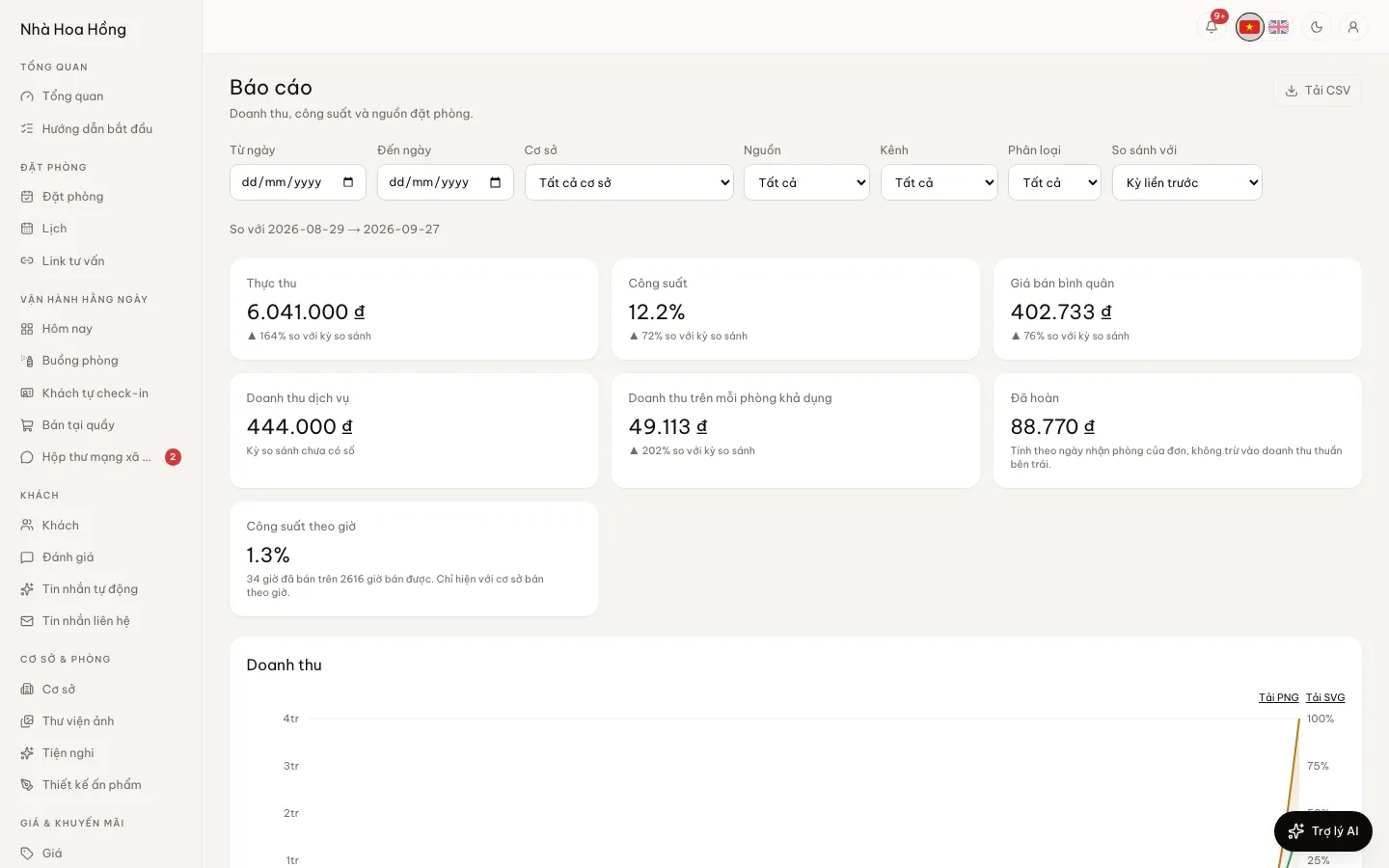
The Reports page shows revenue, occupancy, average rate per night and booking sources. On plans with AI you can also ask the assistant in plain words, such as "what is revenue this month?" or "which rooms are free tonight?". The assistant reads only your own homestay’s data and shows where each number comes from so you can check it.
 点击查看
使用 HostBooking 的真实网站
这些民宿用 HostBooking 建立了自己的网站并直接接受预订。打开其中一个,就能看到客人眼中的样子。
 C.A.O HomestayA pastel homestay with five private rooms in central Vung Tau1 处物业 · Vũng Tàucao.staycation.com.vn
 Peaceful Hill HomestayNơi chữa lành tâm hồn1 处物业 · Lâm Đồngpeacefulhillhomestay.com
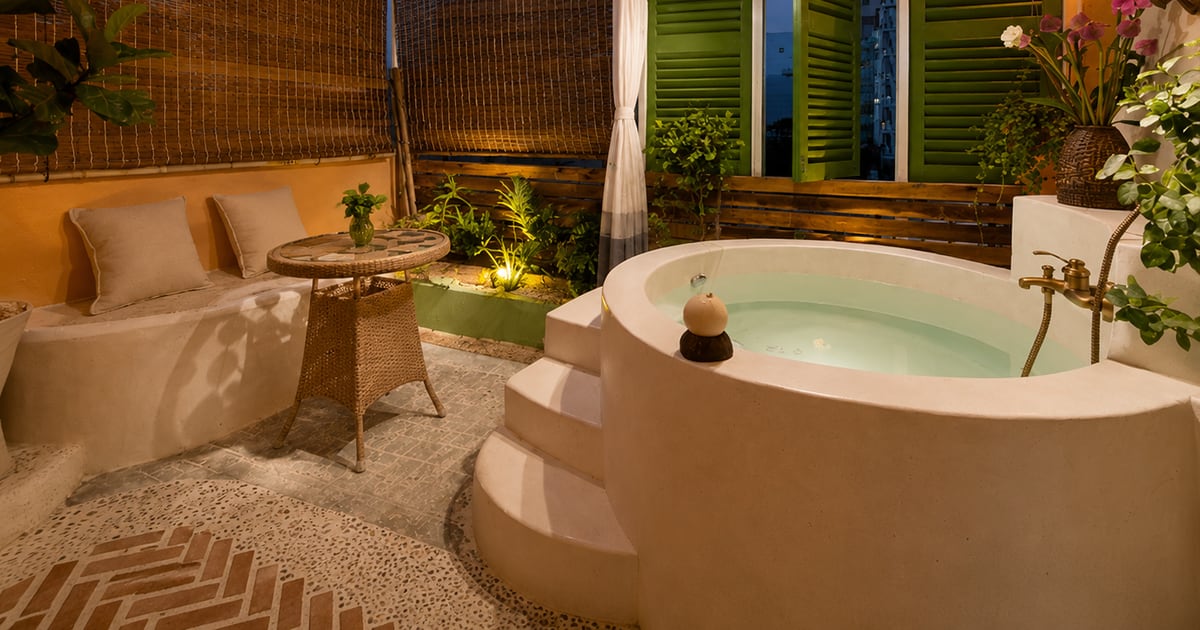 Đêm Home - Quận 1, Hồ Chí MinhĐêm Home: Tranquility in the Heart of Bustling Saigon1 处物业 · Hồ Chí Minhdem-home-quan-1-ho-chi-minh.staycation.com.vn
Compared with Excel or Zalo
| Job | Excel / Zalo | HostBooking |
|---|---|---|
| Check free rooms | Open the file, scan line by line | Look at the calendar; guests see it too |
| Take bookings | Message back and forth, easy to miss one | Guests book themselves 24/7 |
| Double bookings | Easy when several people edit | Blocked by the system |
| Deposits | Match bank statements by hand | QR with the exact amount, marked on the booking |
| Reports | Build your own formulas | Ready by day, month and property |
Read more: running a homestay on Excel or on software, and what homestay room management software must do: room status, cleaning tasks, blocking rooms, OTA sync.
Cost
There is a free plan for life with unlimited properties and rooms (50 bookings a month), and paid plans billed monthly or yearly. HostBooking takes no percentage of any booking. See pricing for each plan’s limits.
常见问题
Is HostBooking homestay management software free?
There is a free plan for life with unlimited properties and rooms and 50 bookings a month. Signing up gives a 14-day trial of the full product, no card needed. When the trial ends, your account moves to the free plan and keeps all its data.
Do I need to install anything?
No. HostBooking runs in the browser, on a computer or a phone. Guests do not need to install an app to book either.
What about the guests I get through Booking.com and Agoda?
You keep taking guests from the OTAs as usual and put their bookings on the calendar so rooms are never double booked. Your own website lets returning guests book direct with you, with no commission.
Is guest data safe?
Each homestay’s data is kept separate at the database level. Guest details are visible only to you and the staff you give access to.