

Guest profiles for homestays and small hotels
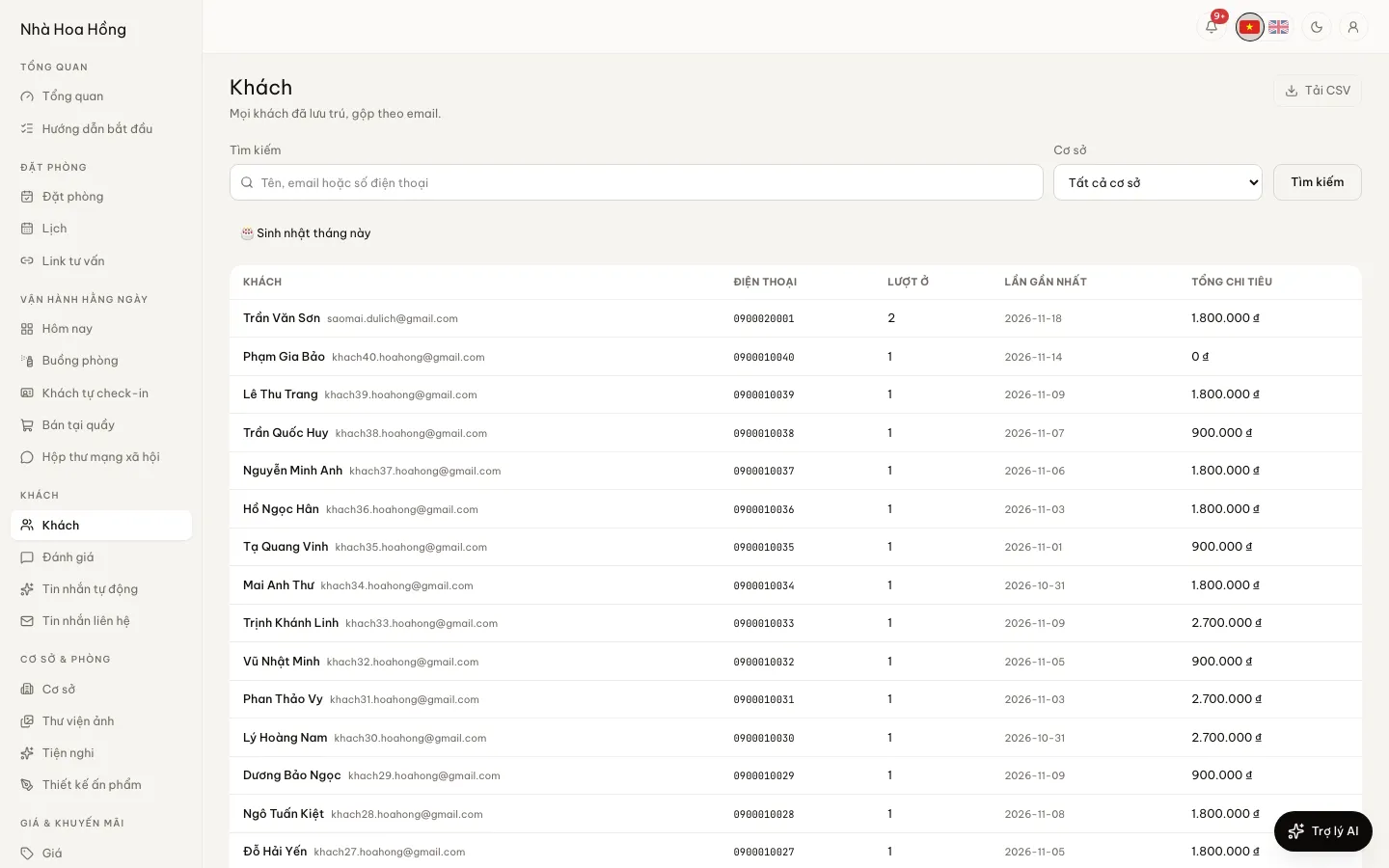
Every guest who has booked has a profile, merged by email. When they come back you know how often they have stayed, what they like and when their birthday is.
Included from the Free plan.
 Tap to view
What it does
Guest profiles
One guest, one profile
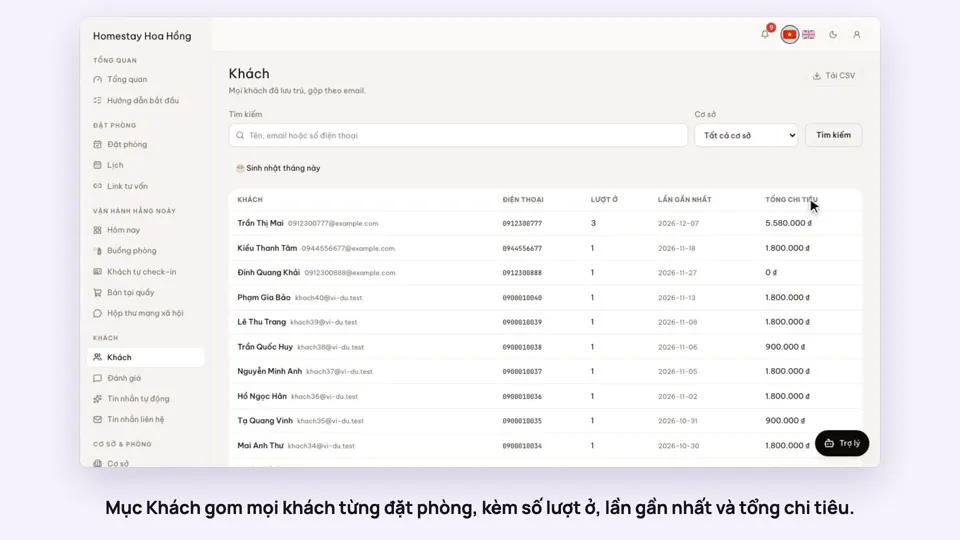
Bookings with the same email merge into one profile, with number of stays, last stay and total spend.
Notes, birthday, tags
Notes are for staff only. Tag guests as VIP, regular or company group and filter by tag.
Birthdays this month
One filter lists guests with a birthday this month, so you can send a greeting or an offer.
Full stay history
The guest page lists every booking: code, property, dates, status and amount.
CSV export and erasure on request
Download the guest list as CSV. When a guest asks, erase their name, email and phone from all their bookings; dates and amounts stay for your books.
How it works
Up and running in a few steps
- 1
Open Guests. Every guest who has booked already has a profile.
- 2
Search by name, email or phone number.
- 3
Open a guest to add notes, a birthday and tags, then save the profile.
How-to videos
Questions
Common questions
What if a guest books with two emails?
Profiles merge by email, so two emails make two profiles.
Can erasing a guest be undone?
No. Erasure is logged and only people with brand-wide access can do it. Dates and amounts stay for reports.
Can I reward regular guests?
Yes, with discount codes and membership tiers. Membership tiers start on the Professional plan.