

Books and tax built from every booking and every expense
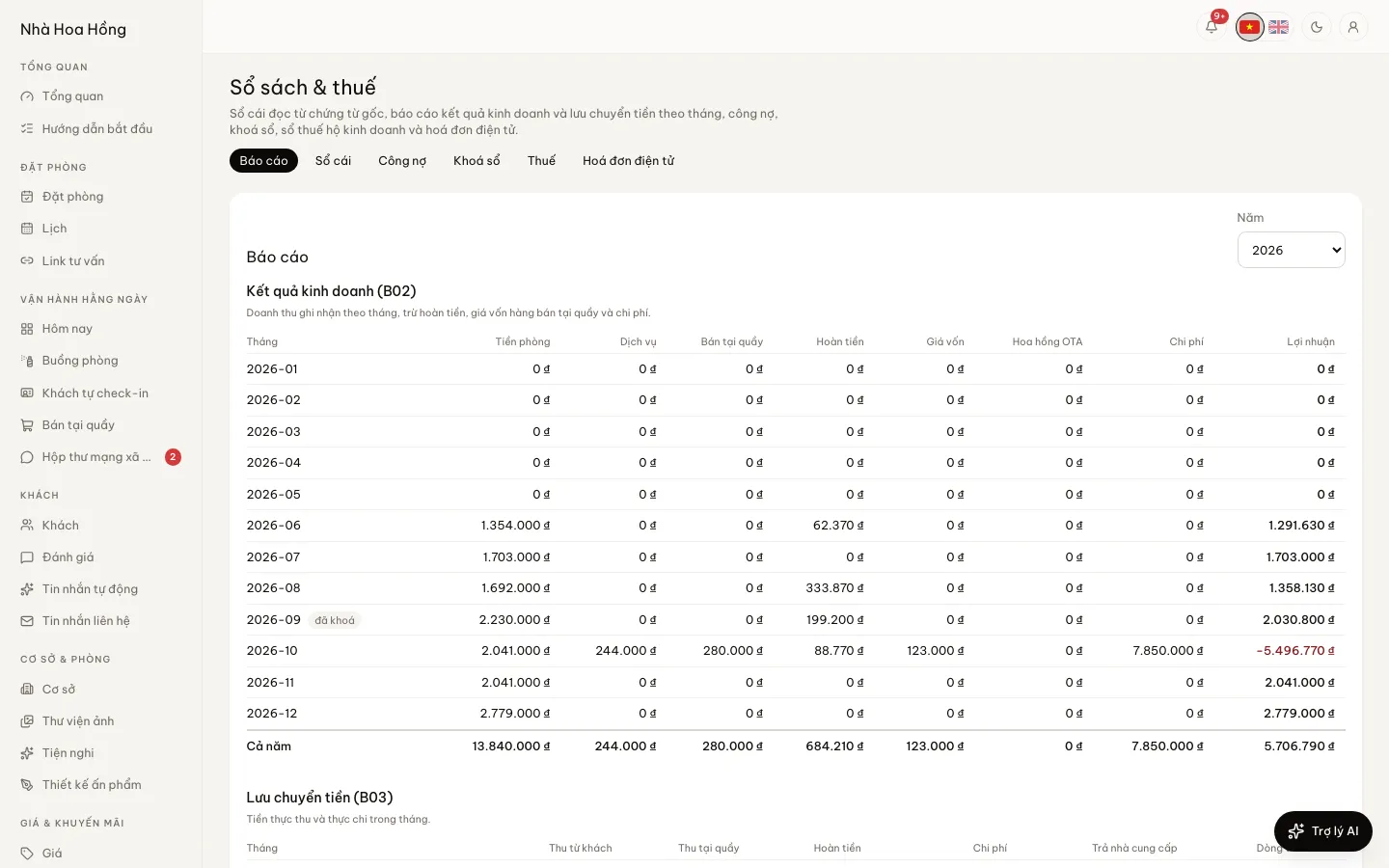
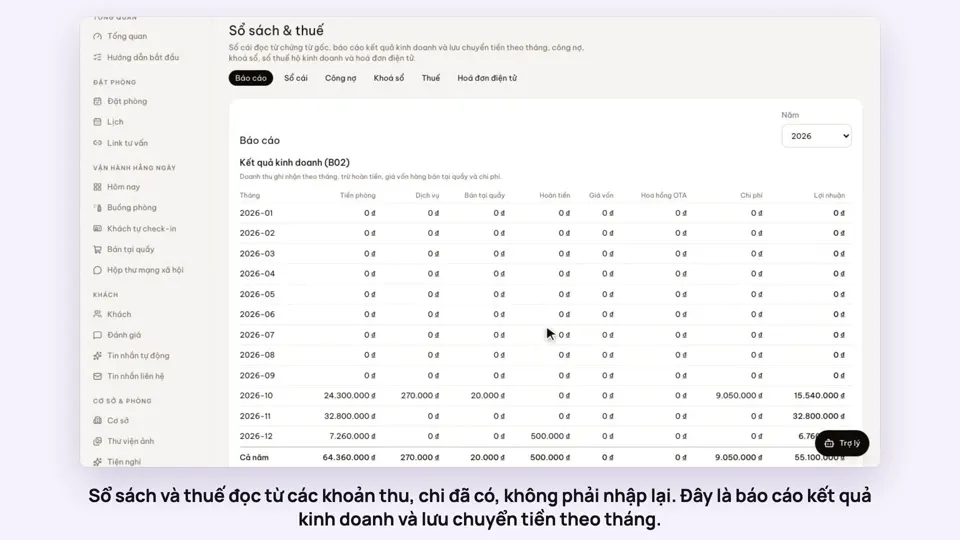
Each room payment, refund, desk sale, expense and supplier payment is already a source document. This page reads them back as a ledger, monthly statements and a tax book, with nothing typed twice.
Included from the Free plan.
 Tap to view
What it does
Books & tax
A ledger from source documents
Every movement of money in time order: source, document, description, account. Filter by date range and property, with money in, money out and the net.
Monthly B02 and B03
Income statement: rooms, services, desk sales, refunds, cost of goods, expenses, profit. Cash flow: from guests, at the desk, out, to suppliers. All 12 months and the year.
Aged receivables and payables
What bookings and on-account customers owe you and what you owe suppliers, split into not yet due, 0–30, 31–60, 61–90 and over 90 days.
Close a month
Once the owner closes a month its figures hold still, and nobody can add or change expenses in it. Reopen it if you need to.
Household business tax book
Yearly revenue against the 500 million đồng threshold, 5% VAT and 2% personal income tax on the part above it (defaults the owner can change). The S1a-HKD or S2a-HKD book under Circular 152/2025, in Excel.
E-invoices
From the Pro plan, or with the E-invoices add-on. Connect your SePay eInvoice account, then tap Issue e-invoice on a booking that has checked in or out. The list shows status, invoice number and the PDF.
How it works
Up and running in a few steps
- 1
Open Books & tax, tab Statements, for the year’s B02 and B03.
- 2
On the Tax tab, check the business type and rates, then tap Export Excel for the tax book.
- 3
At month end, once checked, go to Closing and tap Close this month.
- 4
For e-invoices: tab E-invoices, enter your SePay eInvoice account details and save the connection.
Tax figures are for reference only and are not tax advice: check them with the tax office or your accountant. The books and the tax book come with every plan; e-invoices need the Pro plan or the E-invoices add-on, and the brand’s own SePay eInvoice account.
How-to videos
Questions
Common questions
Do I have to type figures into the books?
No. The books read the payments, refunds, desk sales, expenses and supplier payments already in the system.
My place is a company, not a household business.
Choose Company as the business type in the tax settings. The ledger, B02, B03 and aging work as usual; the household lump-sum tax is not worked out.
Can guests still pay after a month is closed?
Yes. Closing blocks expenses, payroll and commission payouts dated in that month; room payments and desk sales are recorded as usual.
Who can see the books?
People allowed to view reports. The ledger and aging also need permission to view payments. Only the owner changes tax settings and closes months.