

How to build a booking website for your homestay, step by step
HostBooking · · 7 min read
To build a booking website for your homestay, you need 5 steps: pick a site name, enter your homestay details and deposit account, add rooms with prices and photos, check the site on your phone, then share the link and get it on Google. With HostBooking, it takes about 30 minutes for a homestay with 3–5 rooms.
What to prepare before you start
- Good photos: 5–10 photos per room type, shot in landscape, with enough light. Use your best angle as the cover photo.
- Price list: hourly, overnight or nightly prices; weekend and holiday prices if you have them.
- House rules: check-in and check-out times, maximum guests, pets, smoking.
- A bank account to receive deposits.
- Your address and map location.
Step 1: Pick a site name
Go to the sign-up page and type the name you want, for example nhamay. Your site will be nhamay.staycation.com.vn. Pick a short name that matches your homestay, without Vietnamese accents. Later you can add your own domain (from the Basic plan).
Step 2: Homestay details and deposit account
Enter your homestay name, phone number, Zalo and bank account. The QR code guests scan when they book is made from this account, so the money goes straight to you. Double-check the account number and the account holder name.
Step 3: Add your property, room types, prices and photos
- Create your property: address, area, map location, check-in and check-out times.
- Create room types: name, number of guests, beds, size, amenities.
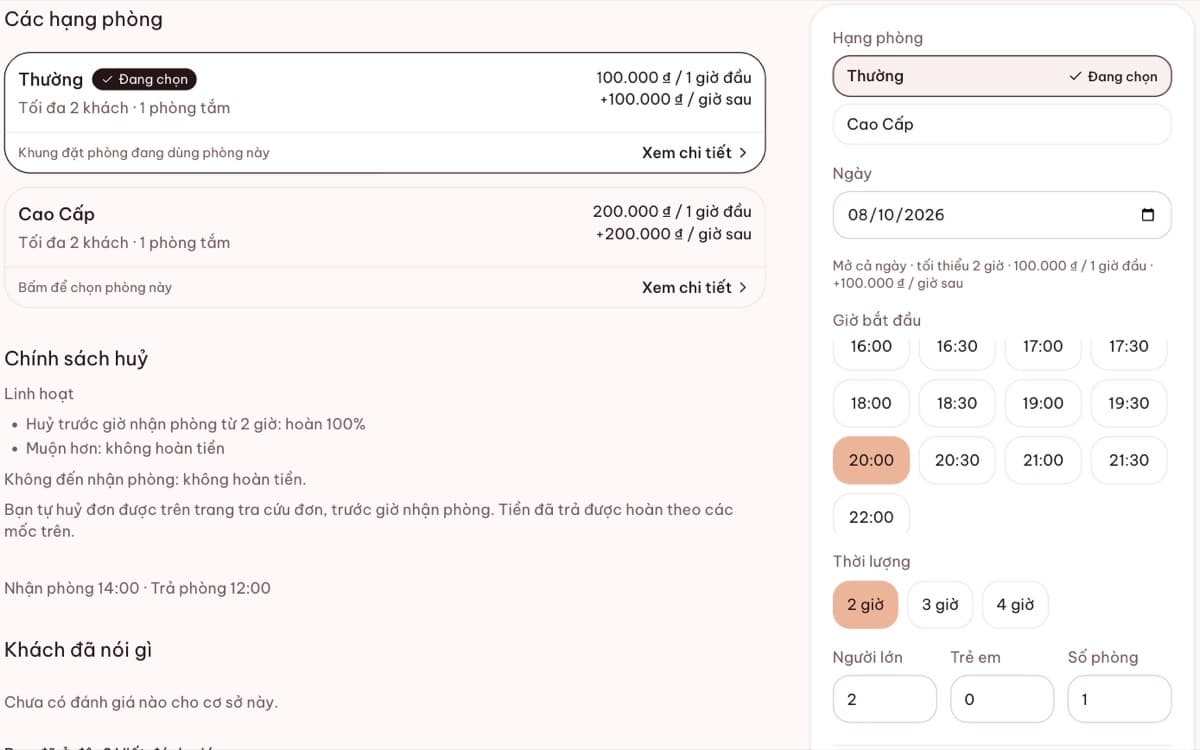
- Choose how you sell: by the hour, overnight, by the day. Set a price for each.
- Upload photos. If you have no description yet, tap Write with AI, then edit it the way you like.
Tip: mention the area and what stands out in your description, for example "5 minutes' walk from Da Lat market, with a bathtub and a projector". Guests and Google both search for details like these.
Step 4: Check it on your phone
Most guests book on their phones. Open your site on a phone, try picking a time, check that the prices are right and the photos look sharp. You can make a test booking yourself, then cancel it in your dashboard.
Step 5: Share it and get it on Google
- Add your site link to your Facebook page, Zalo OA, Instagram bio and TikTok.
- Add the link to your homestay's Google Maps profile. See how to put your homestay on Google Maps.
- Verify your site with Google Search Console under Integrations to see which search terms guests use to find you.
Once your site is live
Turn on Zalo or email notifications so you know the moment a booking comes in. Ask past guests to leave a review. Real reviews help new guests book with confidence. When you add rooms or another property, just add them in your dashboard; your website updates right away.
Frequently asked questions
Does it cost anything to create a homestay website?
You start with a 14-day full trial, no card needed. After that you can stay on the Free plan or choose a monthly paid plan.
Can I do it all on my phone?
Yes. The dashboard works on a phone, including uploading photos and setting prices.