

Group bookings: many rooms for one party, paid once
A company trip, a big family, friends taking a whole floor. The desk enters the dates once, picks how many rooms of each type, and gets one group with its own code.
Included from the Free plan.
 Tap to view
What it does
Group bookings
One form for the party
Check-in, check-out and the contact person are entered once. Add a line per room type with the number of rooms and adults, up to 10 lines.
All rooms or none
Each line becomes a real booking, priced and ruled like a single one. If one line has no rooms left, the bookings just made are cancelled: the party is booked whole or not at all.
A GR-… group code
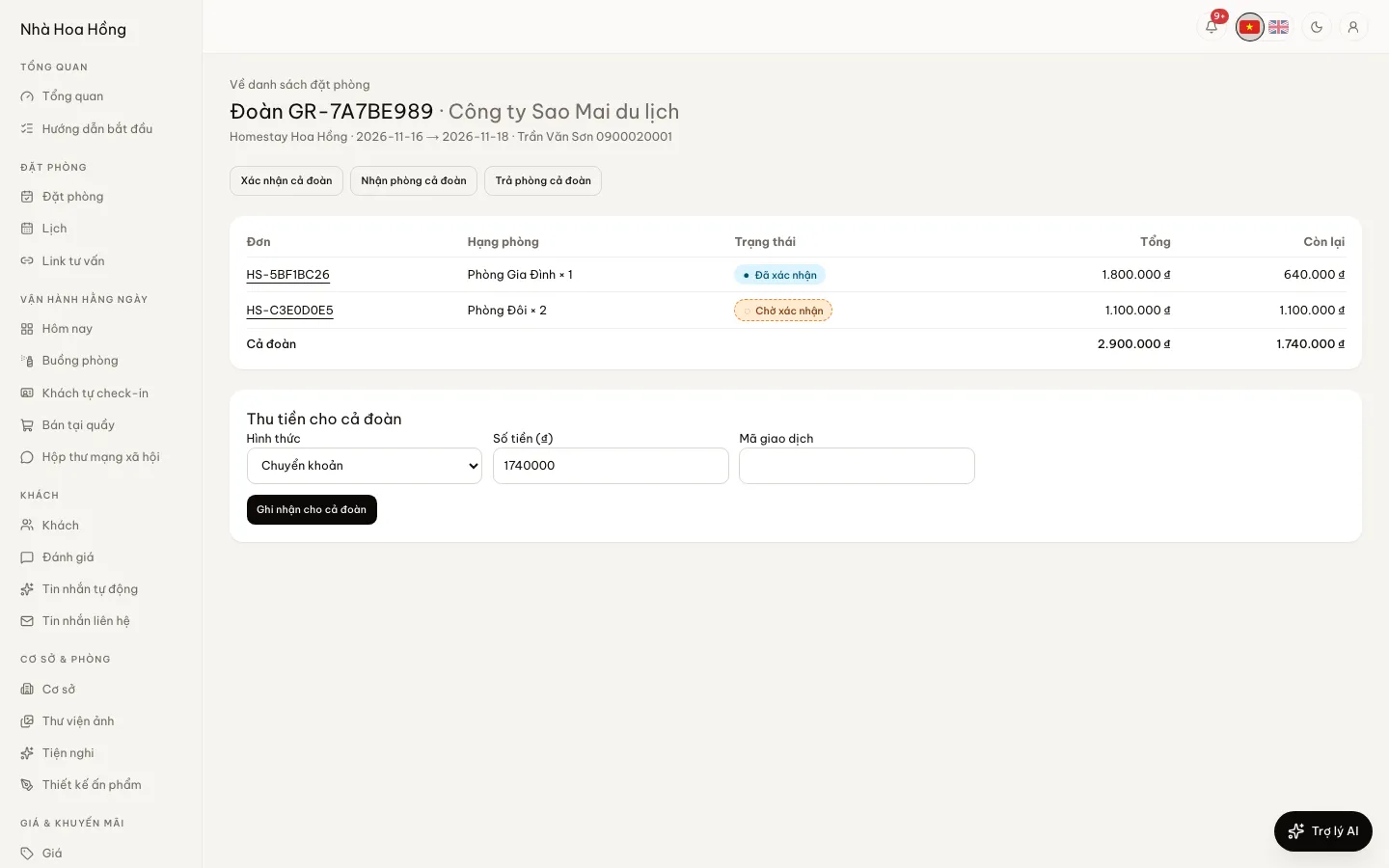
The group gets a code like GR-1A2B3C4D and its own page listing the bookings, the total, what is paid and what is left. Each booking’s page shows which group it belongs to.
One bank transfer
Once your bank account is set up, the group page shows a transfer QR for what the party still owes, with the group code as the reference. With SePay connected, the money is split across the bookings by itself.
Cash for the whole party
Enter one payment under Take payment for the whole group. It is spread over the bookings by what each still owes, each with its own receipt as if paid alone.
Merge existing bookings into a group
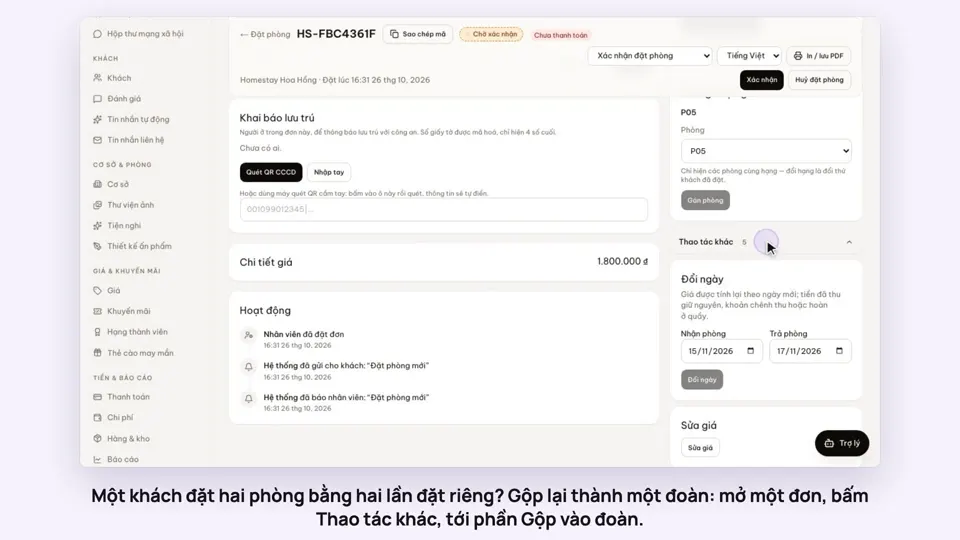
Guest made several separate bookings? Merge bookings of the same guest into one group to see and collect them together.
Check in or out the whole group, or one booking
From the group page, check the whole party in or out at once, or one booking at a time when people arrive or leave at different hours.
How it works
Up and running in a few steps
- 1
On the Bookings page, click Group booking.
- 2
Choose the property, name the group, and enter check-in and check-out.
- 3
Add each room type with the number of rooms and adults, then the contact person.
- 4
Click Create group. The group page opens with a QR to send the guest for the transfer.
Group bookings are for properties selling by the night. The whole party shares the dates and one contact person.
How-to videos
Questions
Common questions
Is every room in the group its own booking?
Each room type line is one booking, which can hold several rooms. So the calendar, the room board, reports and check-in work as for any booking.
What if the guest transfers too little?
The money goes to the bookings in code order, settling one before the next. What is left still shows on the group page to collect.
Does clicking Create group twice make two groups?
No. Sending the same form again returns the group already made.