

Google Hotels: guests see your price right on Google
When guests search for a stay on Google, your direct price shows beside the OTAs. A click books on your own website.
Included from the Free plan.
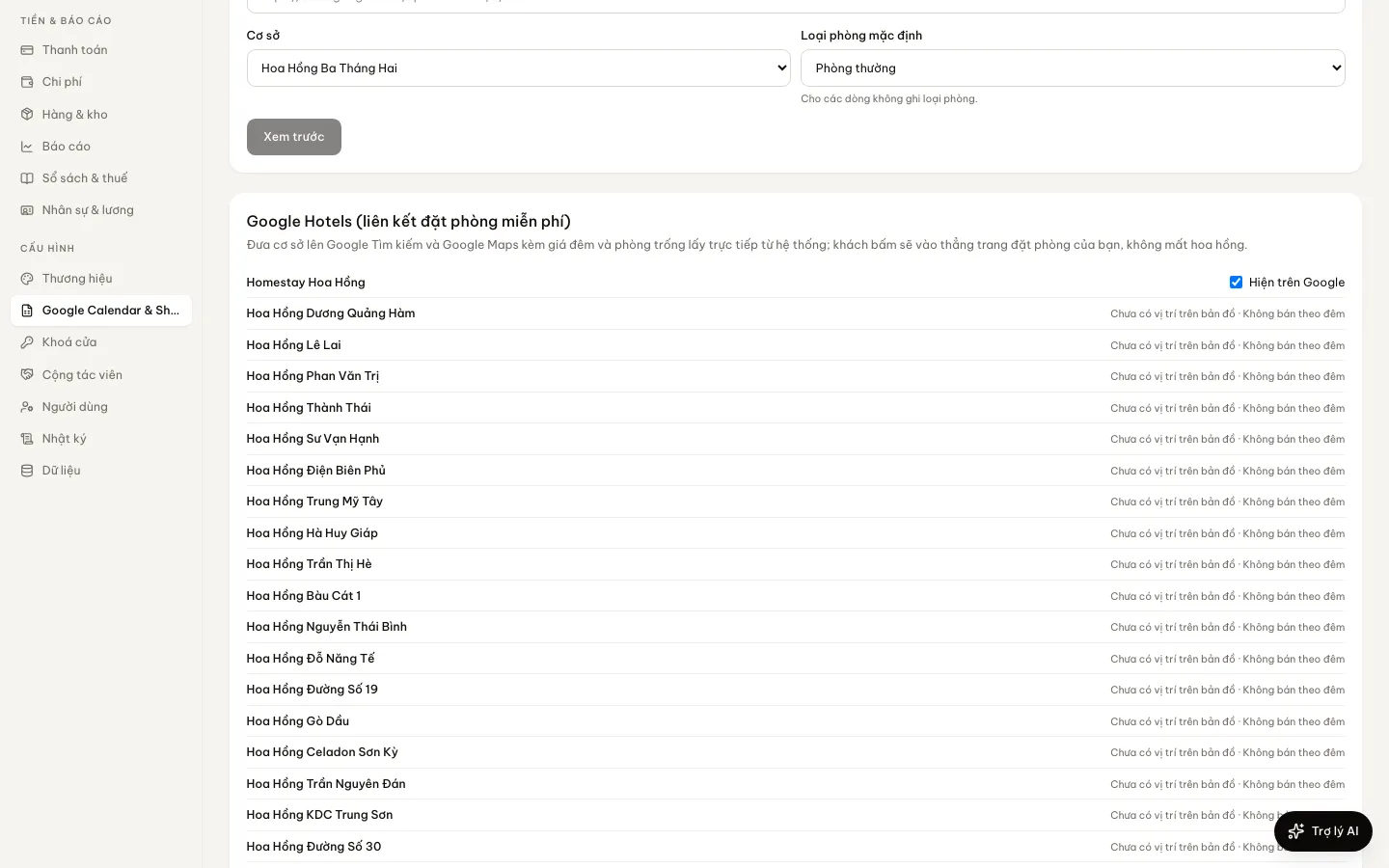 Tap to view
What it does
Google Hotels
Real prices and availability
When Google asks for a date, the price is worked out with the same rates and availability as a booking; sold out reads as sold out.
Straight to your booking page
A click from Google opens the property on your own domain with check-in and check-out filled in.
Switch on per property
Choose which properties go on Google. One that lacks something (not published, no map location) says what to add.
No commission
Google’s free booking links charge nothing per click or per booking.
How it works
Up and running in a few steps
- 1
Make sure the property is published and has a map location.
- 2
Open Google Calendar & Sheets, then Google Hotels, and switch on Show on Google.
- 3
HostBooking sends the property to Google, which matches it to the place on Google Maps.
HostBooking is completing its Google Hotel Center partner setup. You can switch places on now; they appear once the connection opens and Google has matched them.
Questions
Common questions
How long until a property shows on Google?
Once the connection is open, Google needs time to match it to its Maps place — usually days to a few weeks.
Can an hourly property be listed?
Google Hotels shows nightly prices, so the property must sell by the night.
Is the Google price different from the website?
No. Same rates, for one room and the nights searched.