

Your data: download it or delete it whenever you want
Bookings, guests, money and costs belong to your business, not to the software. Download them at any time, with a ready way to act when a guest asks you to erase their details under Vietnam’s Personal Data Protection Law.
Included from the Free plan.
 Tap to view
What it does
Data rights
Download everything
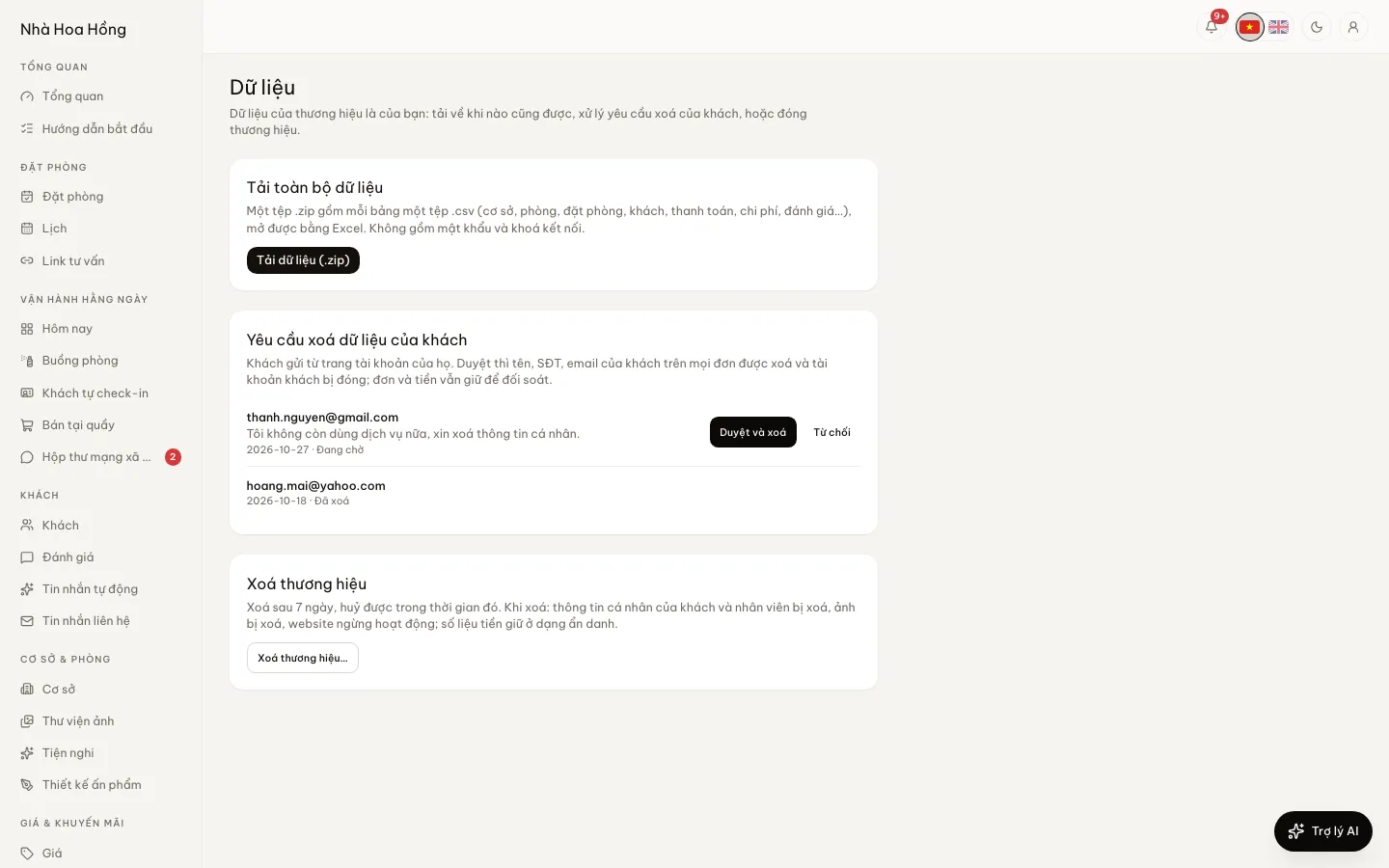
One .zip with a .csv per table: properties, rooms, bookings, guests, payments, expenses, reviews, the audit log. Opens in Excel. Passwords and integration keys are left out.
Guests download their own data
On their account page on your website, guests tap Download my data to get their details and bookings.
Guests ask, you approve
A guest sends Ask to erase my data. You see it on the Data page and tap Approve and erase or Turn down. Approving removes name, phone and email from that account’s bookings; the money stays.
Nobody erases someone else
Approving only touches bookings made through that very account. Signing up with someone else’s email and asking for erasure does not remove their bookings.
Close the brand yourself
Type the site name and your password to delete. Every owner gets an email. The brand is deleted after 7 days, and any owner can cancel until then.
What goes, what stays
On deletion: guests’ and staff’s personal data, photos, payment keys and domains. Money figures stay, anonymised, because the books must be kept.
How it works
Up and running in a few steps
- 1
Go to Settings, then Data.
- 2
Tap Download data (.zip) for a full copy.
- 3
When a guest asks to be erased, read the reason and tap Approve and erase or Turn down.
- 4
To stop for good, tap Delete the brand… and type the site name and your password. Changed your mind? Tap Cancel deletion within 7 days.
Only a brand owner can download everything or delete the brand. Guests have a My data section only when the brand turns on guest accounts. Staff delete their own account under Account security.
Questions
Common questions
If I leave HostBooking, where does my data go?
Download the .zip before you go. The .csv files open in Excel or import into other software.
What if I delete the brand by mistake?
Deletion happens only after 7 days. Until then, any owner can tap Cancel deletion and the site carries on as before.
Does erasing a guest change my revenue reports?
No. Name, phone and email are removed, but the bookings and amounts stay, so reports and books do not change.
A staff member is leaving and wants their account gone?
They delete it themselves under Account security with their email and password. The last owner cannot delete themselves; they delete the brand instead.