

Scratch cards: fun for guests, emails and bookings for you
A scratch card page on your website to share on Facebook and Zalo. Guests leave an email, scratch the card on their phone, and winners get a discount code to book with.
Included from the Free plan.
 Tap to view
What it does
Scratch cards
Prizes by chance and quantity
Up to 10 prizes, each tied to an existing promotion, with a chance (%) and a quantity. The page states the odds of winning and of not winning.
Email confirmed with a code
Guests enter an email and confirm it with a 6-digit code before scratching. One scratch per email; Gmail variants with dots or a +tag count as one.
Scratch on the screen
Guests scratch with a finger or mouse, or tap Reveal the card. The result shows at once.
A single-use code for winners
Each winner gets their own child code, shown on screen and emailed. It applies like the original promotion, once.
The list of plays
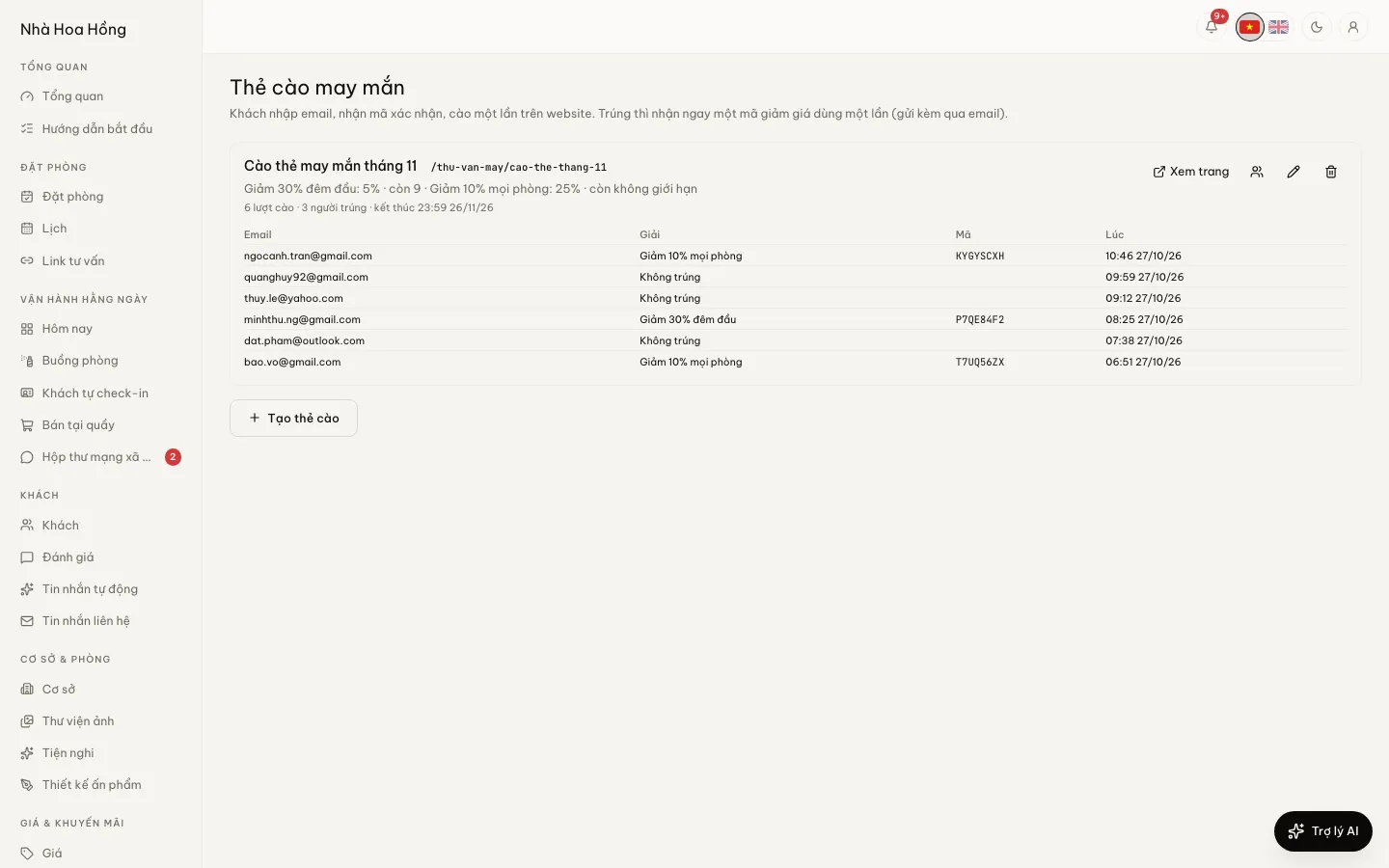
See the number of plays and winners, who won what and with which code. Staff without permission to see guest contacts see emails partly hidden.
How it works
Up and running in a few steps
- 1
Make a promotion with a code to use as a prize.
- 2
Open Scratch cards and tap New scratch card: set the address, title and end date.
- 3
Add prizes: pick the promotion, the chance and the quantity, then save.
- 4
Share the card’s link on Facebook or Zalo, or print it as a QR code.
On every plan, Free included. Confirmation and prize codes are sent from the brand’s email.
Questions
Common questions
Can one person play many times with many emails?
Each confirmed email plays once. Variants of the same Gmail address are merged into one.
What happens when a prize runs out?
A play that lands on a prize that has run out counts as no win. The other prizes keep their odds.
Can someone else use a winner’s code?
No. Each winner has their own code, usable once.