

Rent rooms by the hour, overnight and by the day
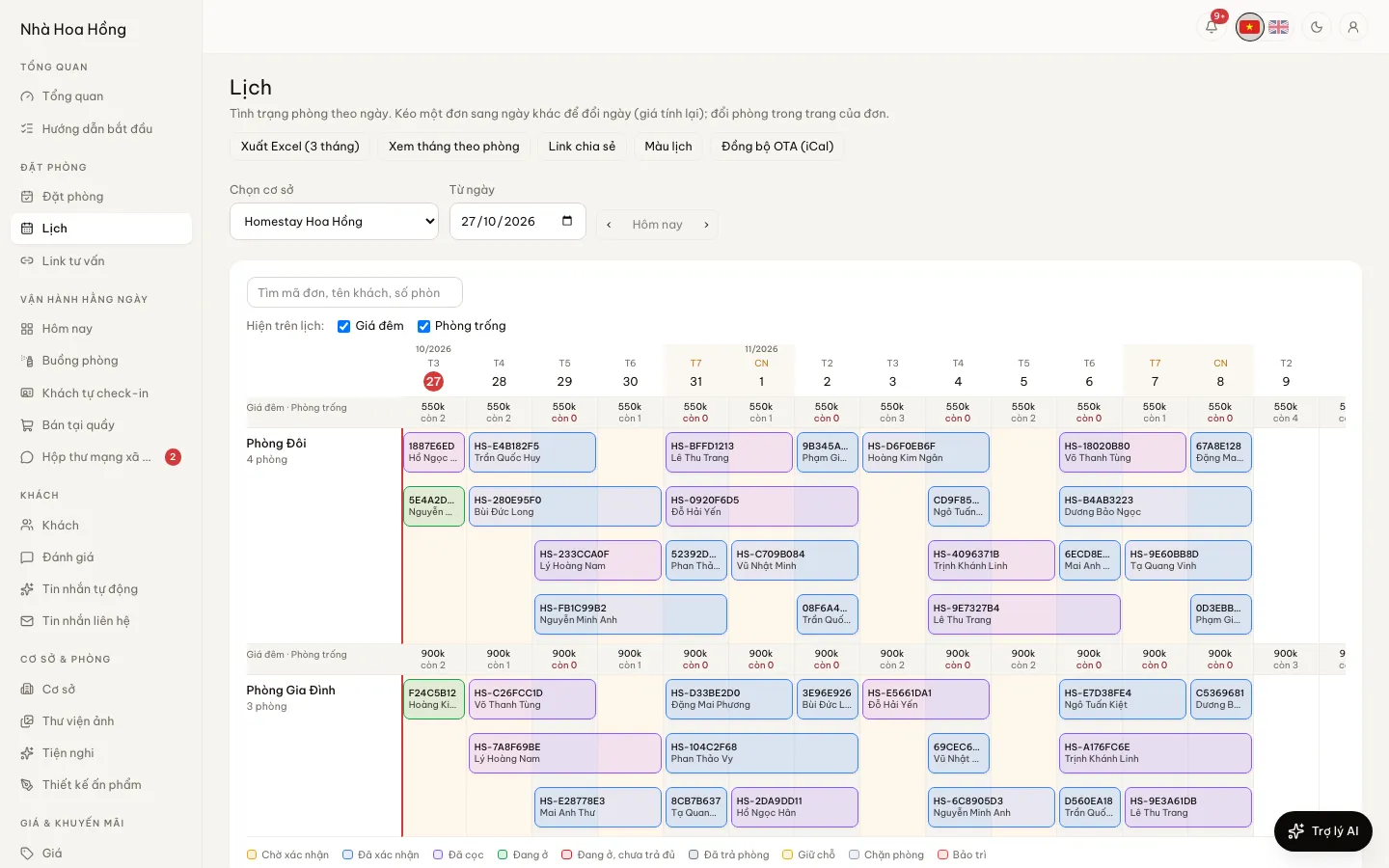
One room can sell by the hour in the daytime, overnight in the evening and by the day at weekends. HostBooking keeps all three on one calendar, so they never overlap.
Included from the Free plan.
 Tap to view
What it does
Hourly and overnight
Three ways to sell
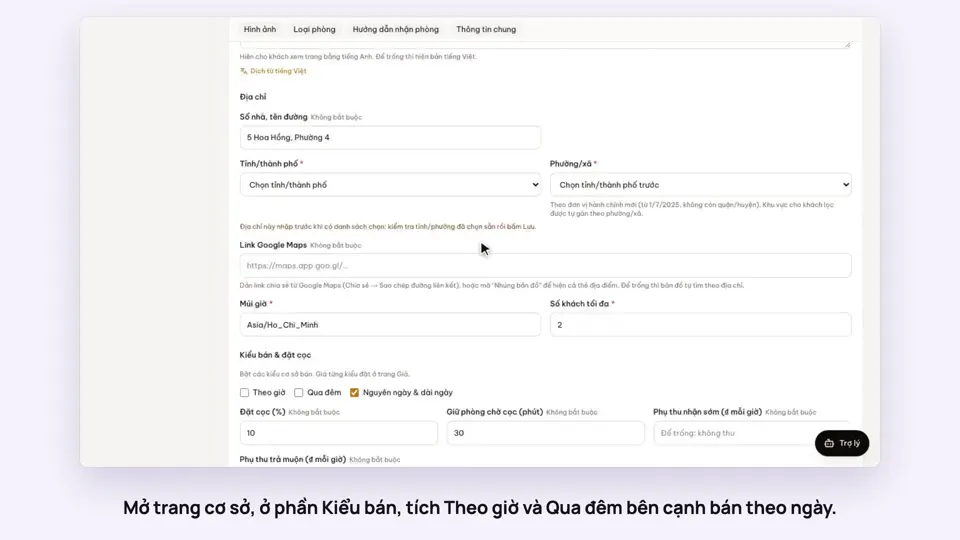
Turn on hourly, overnight, or full-day and long stays for each property. Guests pick the type on the booking page.
First block and extra hours
Set the length and price of the first block, then the price of each extra hour. Overnight price and overnight check-in time are set separately.
Cleaning gap between guests
Set how many minutes cleaning takes. That time is held after every booking, so the next guest never arrives to an unready room.
Free-hour deals
Create a rule like book 2 hours, get 2 free. The free hours hold the room too, so guests can only book when they are also free.
Switch to overnight
When a guest stays long enough that the hourly total reaches the overnight rate, the booking suggests switching. One click does it if the room is free that night.
How it works
Up and running in a few steps
- 1
On the property page, under How rooms are sold & deposit, turn on the types you sell.
- 2
On the Pricing page, enter the first-block price, extra-hour price and overnight rate. Add a free-hour rule if you want one.
- 3
Set the cleaning time and the property’s opening hours.
- 4
Guests see the free hours on the booking page. You see each hour in the calendar’s Day view.
How-to videos
Questions
Common questions
Can two guests book the same hours?
No. Once a time range has a booking, including one you entered by hand, it is no longer offered to anyone else.
Can weekends and holidays cost more?
Yes. The Pricing page has rules by weekday and by date range, and a button that creates the year’s Vietnamese holidays, lunar dates included.
Do reports show hourly occupancy?
Yes. For hourly properties the report adds hourly occupancy: hours sold out of hours that could be sold.