

Messenger and Instagram messages, answered in one place
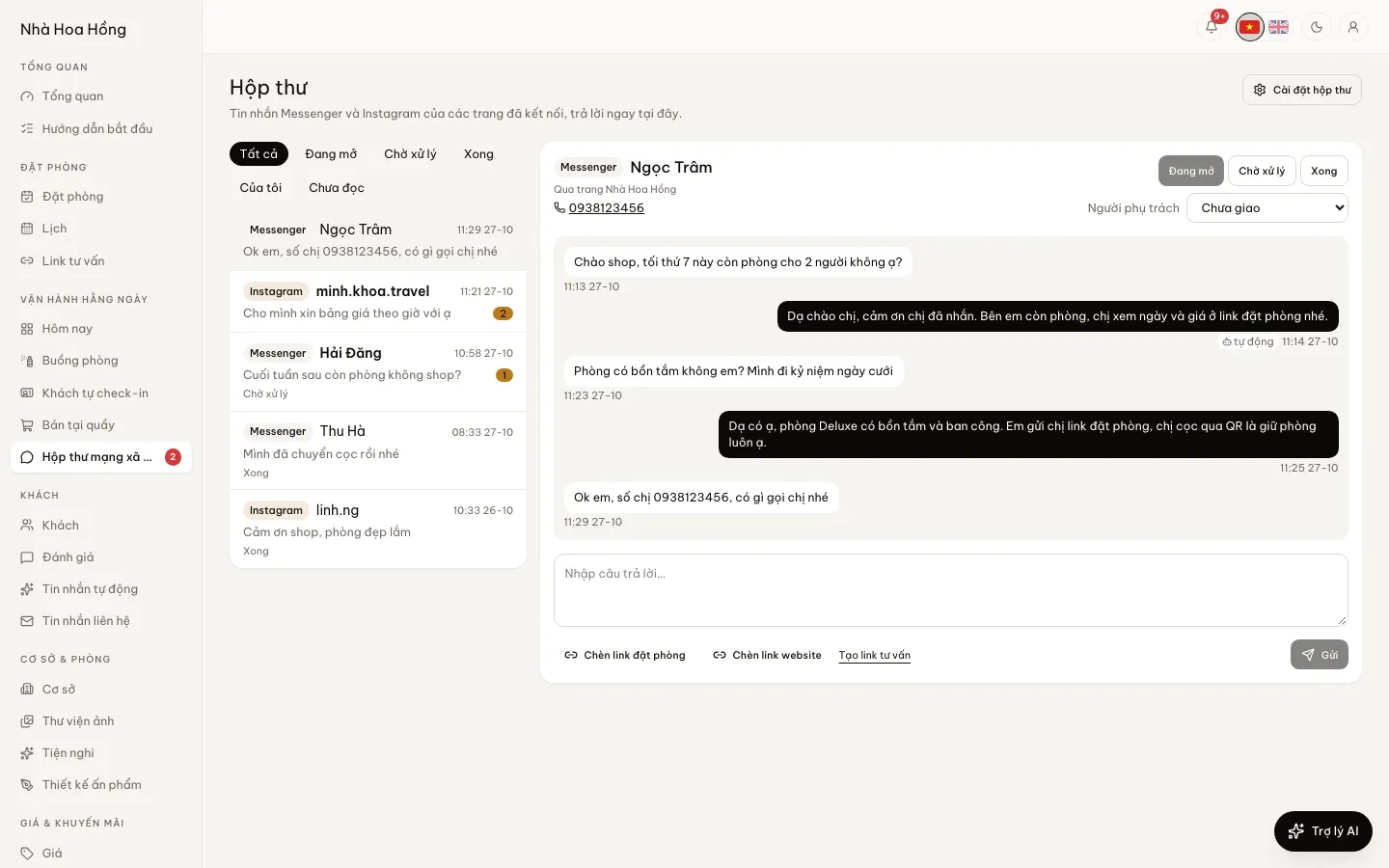
Guests message your page about rooms and staff answer right in the admin, next to the calendar and bookings. No Facebook login on the desk computer, no messages lost between people.
Included from the Basic plan.
 Tap to view
What it does
Messenger & Instagram inbox
One inbox for every page
Messages from connected Facebook pages and Instagram accounts share one list, with a channel badge and unread count. The page refreshes every 10 seconds.
Assign it, mark its status
Each conversation has an assignee and a status: Open, Pending, Done. Filter by status, Mine or Unread.
A booking link in one tap
Insert booking link and Insert website link put the link into your reply. For a quote of its own, open a consult link.
Keyword auto-replies
A message containing a keyword such as “price” or “available” (accents ignored) gets a prepared reply. Choose to send only outside working hours. At most once every 10 minutes per guest.
Told when 24 hours pass
Meta lets a page reply only within 24 hours of the guest’s last message. After that the inbox says so, and suggests a call if the guest left a number.
Post to your page
Write a post, pick a photo from the library, add a link, and post now or schedule it on a connected Facebook page.
How it works
Up and running in a few steps
- 1
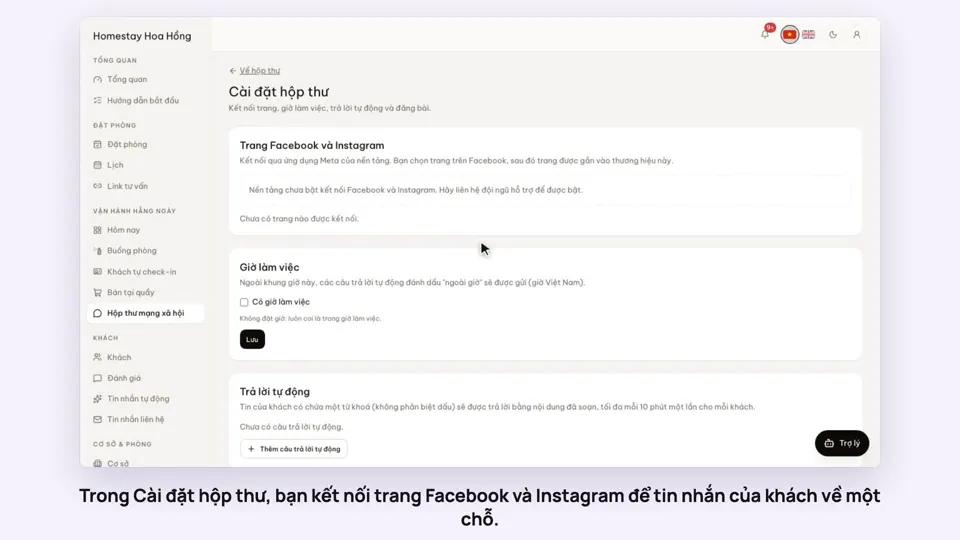
Open Social inbox and tap Inbox settings.
- 2
Tap Connect Facebook/Instagram and choose the pages to receive messages from.
- 3
Set working hours and add a few keyword auto-replies.
- 4
Give the desk staff the Answer Messenger/Instagram messages permission, then reply to guests in the inbox.
Connecting Facebook and Instagram uses the platform’s Meta app. If the settings page says the platform has not enabled it yet, contact support. Personal Zalo messages do not come into this inbox. From the Professional plan and above; on Free or Basic, buy the Facebook & Instagram inbox add-on.
How-to videos
Questions
Common questions
Do staff need the page’s Facebook password?
No. The owner connects the page once; staff with the reply permission answer inside the admin.
If I disconnect a page, are old messages lost?
No. New messages from that page stop arriving; past conversations are kept.
Do staff see the guest’s phone number?
If the guest sends a number, the inbox picks it up. Staff without permission to see full guest contacts see it partly hidden.
Do auto-replies fire on every message?
No. Each guest gets at most one automatic reply every 10 minutes.