

Posters, price boards and good photos for your page, no designer
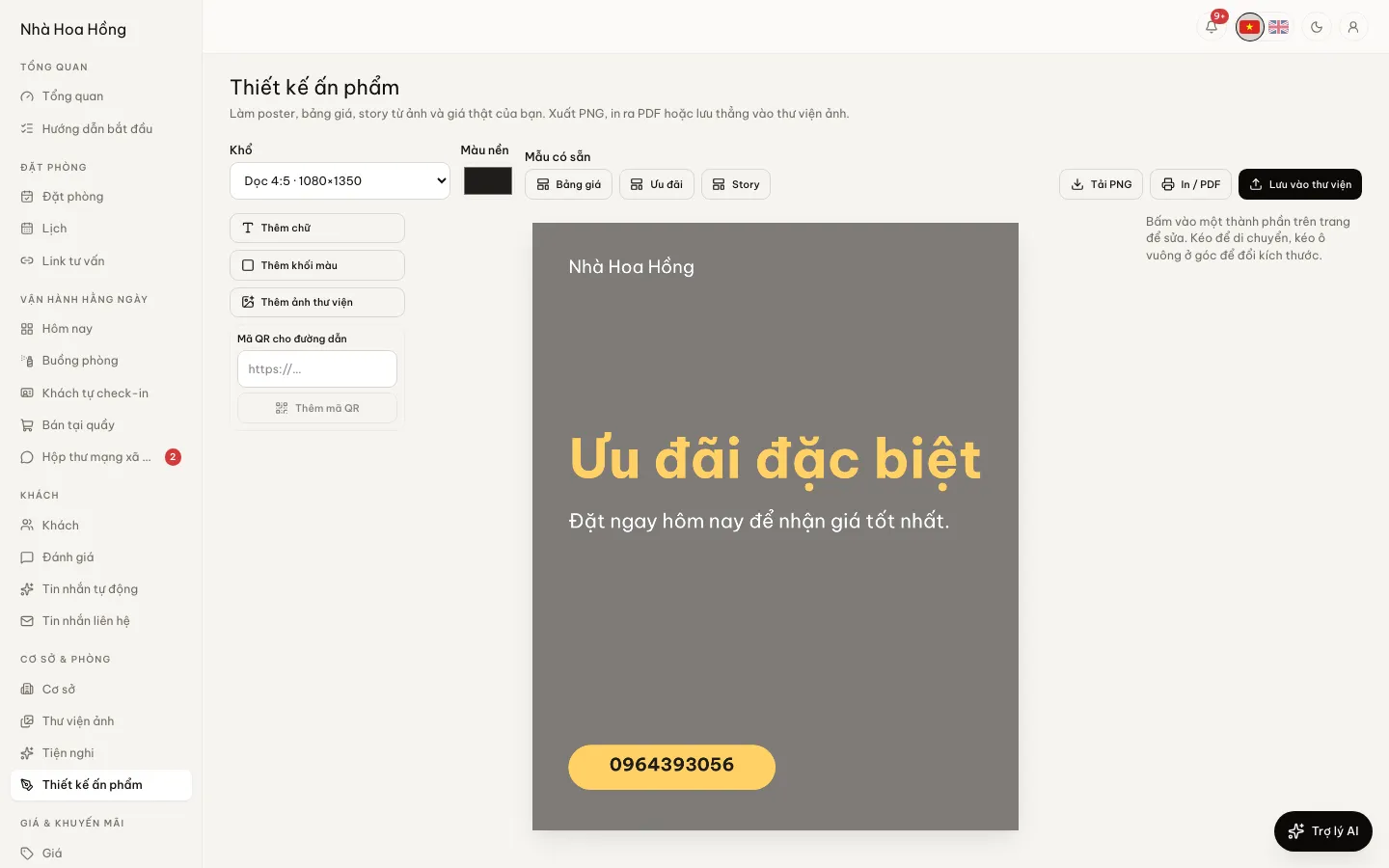
Open the studio, pick a size, tap the price board template and your real room prices are on it. For more atmosphere, make an AI photo from a room photo you already have.
Included from the Free plan.
 Tap to view
What it does
Design & AI photos
7 sizes ready
Instagram square, 4:5 portrait, 9:16 story, link preview, A4, A5 and 16:9 landscape.
Price board from real prices
The Price board template fills in each property and room type with its base price. There are also Offer and Story templates.
Text, shapes, photos, QR codes
Add text, coloured shapes, library photos and a QR code to your booking page. Set font size, colour, corner radius, opacity and layer order.
PNG, PDF or the library
Download a PNG to post, print or save a PDF from the browser, or save straight into the photo library to use on your website.
AI photos from real room photos
In the photo library, open a photo and pick one of 30 looks such as golden hour, Lunar New Year, Indochine or sale poster, and one of 5 frames. The new photo goes into the library; the original is kept.
How it works
Up and running in a few steps
- 1
Open Design studio and pick a size.
- 2
Tap the Price board, Offer or Story template, then edit the text and add photos and a QR code.
- 3
Tap Download PNG, Print / PDF or Save to library.
- 4
For an AI photo: open Photo library, open a photo, choose a look and frame, tap Make photo.
The design studio is on every plan. AI photos start on the Professional plan, 150 a month (500 on Business). AI photos are illustrations; when selling, let guests see real photos of the room too.
Questions
Common questions
Does an AI photo change the room?
The AI is asked to keep the room as it is and change only light, colour and mood. Check it before posting anyway.
If I change prices, does the price board follow?
The board takes prices when you tap the template. After a price change, tap it again for a new board.
Can I save a design to edit later?
Not yet. Export a PNG or save it to the library; to change it, start again from the template.