

Record staying guests quickly from the ID card QR
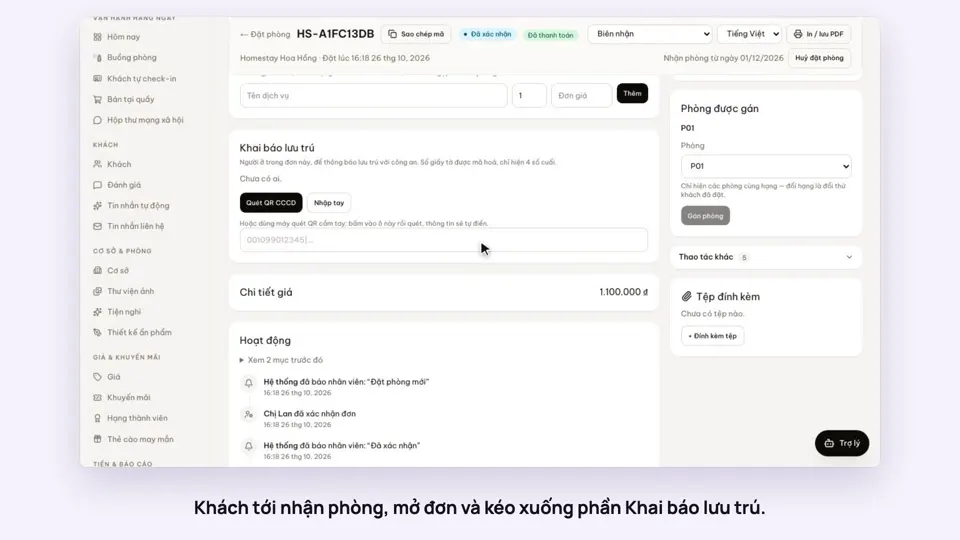
The desk scans the QR code on the front of a chip ID card, and the name, date of birth and document number fill in on the booking. At the end of the day, download the stay list to Excel for your police notification.
Included from the Free plan.
 Tap to view
What it does
Stay declaration
Scan with the camera
Open the camera from the booking page and hold the QR code in the frame. Works in Chrome on Android and on computers.
Or a handheld scanner
Click into the field and scan with a handheld QR scanner; the details fill in by themselves.
Passports and other documents
For foreign guests or anyone without a chip ID card, type it in: name, document type, number, date of birth, gender, nationality.
Document numbers are encrypted
Numbers are stored encrypted. Lists in the admin show only the last four digits.
Reason for stay per person
Choose tourism, work, visiting family, study, medical or other for each person on the booking.
A two-sheet Excel by date range
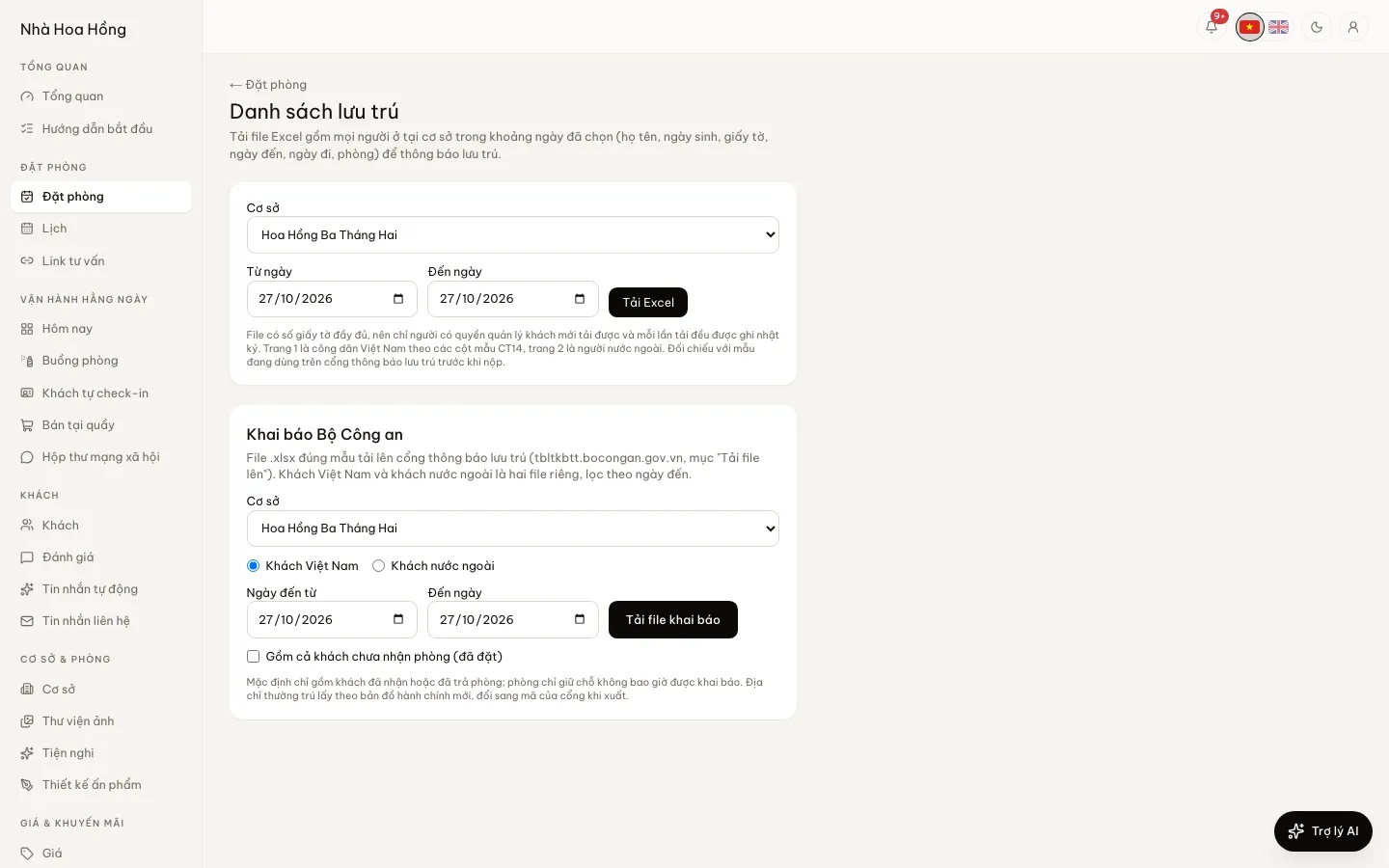
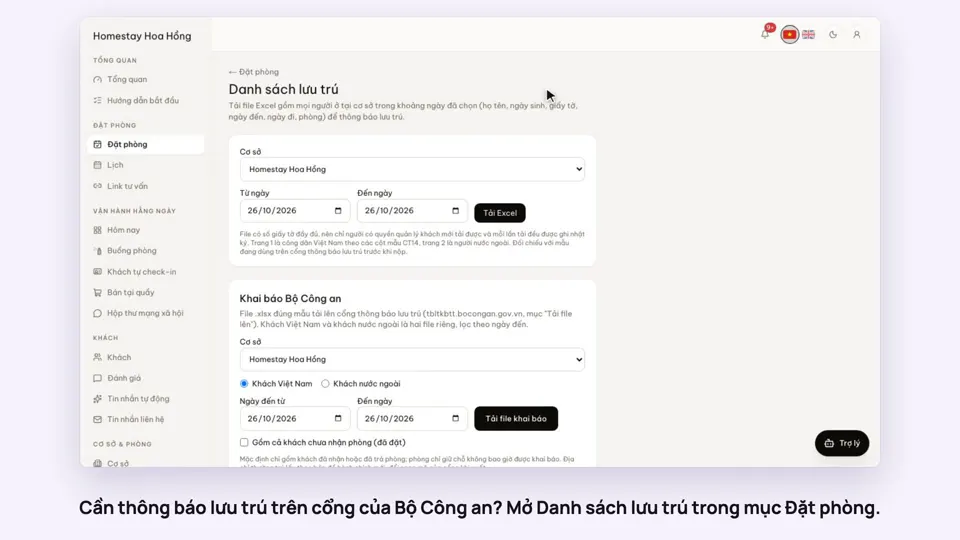
Vietnamese citizens in the columns of form CT14: name, date of birth, gender, personal ID number, place of stay, period, reason. Foreigners by passport, nationality, arrival and expected departure. Every download is logged.
Files in the police portal template
Export the stay declaration in the import template of the Ministry of Public Security’s stay portal, with separate files for Vietnamese and foreign guests, by arrival date. By default only guests who have checked in or checked out are included.
How it works
Up and running in a few steps
- 1
Open a booking and go to the Stay notice section.
- 2
Click Scan CCCD QR and hold the card to the camera, or use a handheld scanner. Choose the reason for stay and add each person staying.
- 3
Open the Stay list, pick a property and dates, and click Download Excel.
- 4
Use the file to notify the police the way your property already does.
HostBooking does not send anything to the Ministry of Public Security’s portal. The Excel columns follow form CT14 to make copying or filing easier; check them against the form the portal uses before you file.
How-to videos
Questions
Common questions
Does it submit declarations to the police?
Not yet. You scan and store who is staying, then download the list to Excel. Sending it to the police is still up to you.
Who can download the file with full document numbers?
Only people allowed to manage guests. Each download is written to the audit log.
Does camera scanning work on an iPhone?
It depends on the browser. If it is not supported the page says so, and you can use a handheld scanner or type the details.
If I erase a guest’s data, are the staying guests erased too?
Yes. Erasing a guest’s personal data also removes the people recorded on that guest’s bookings.