

Revenue and occupancy reports
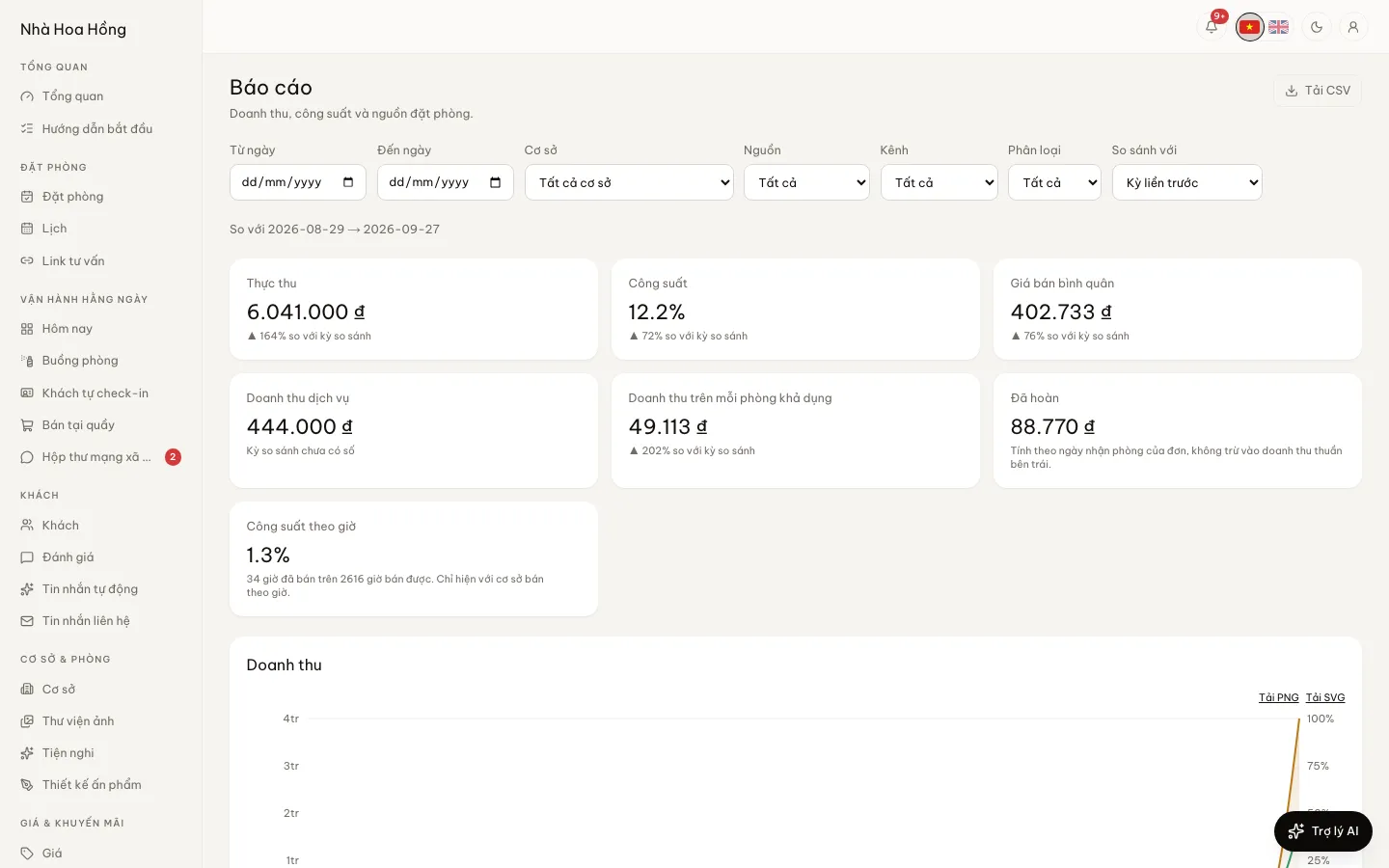
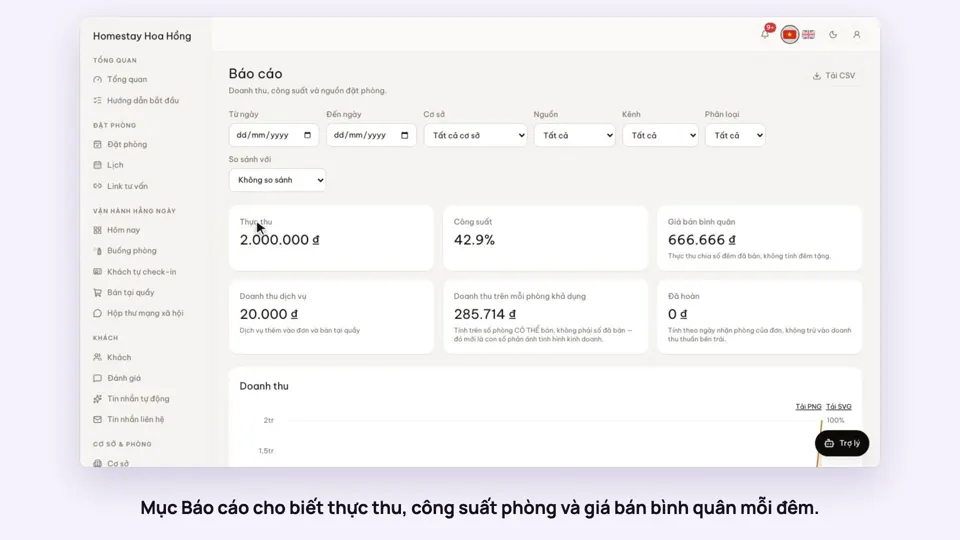
Pick a date range and see revenue, occupancy and where bookings came from. The numbers come from the bookings in the system; nothing to type in again.
Included from the Free plan.
 Tap to view
What it does
Revenue reports
Revenue by day
Gross, discounts, net and refunded, with a daily chart. A stay that spans two months is split correctly between them.
Occupancy, ADR, RevPAR
Nights sold out of nights available. ADR leaves out complimentary nights. RevPAR divides by rooms available, not rooms sold.
Hourly occupancy
For hourly properties: hours sold out of hours that could be sold.
By property and by source
Compare properties. See whether bookings came from the website, staff, phone, walk-ins or OTAs.
CSV export
Download the daily figures as CSV to open in Excel or Google Sheets.
Compare periods, by room type
Set any range beside the period before or the same period last year to see what changed. Revenue and nights sold by room type, and service revenue (extras, desk sales) apart from rooms.
Filter by source, channel, room
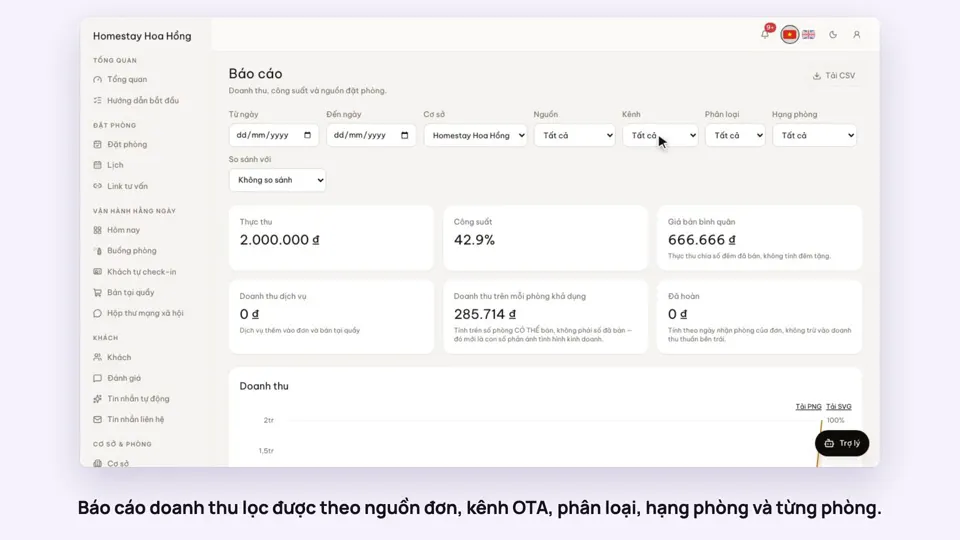
Filter by booking source, OTA channel, segment (OTA, direct, partner, website), room type and single room. The CSV export follows the filters you have set.
OTA commission and net revenue
The breakdown by segment and by channel shows OTA commission and revenue left after it, so you see which channel really brings money in.
Payments by method
See money received split by cash, bank transfer, card, wallet, on account and so on, under the method names your brand uses.
Download charts
Save charts as PNG or SVG images to drop into a report for an investor or partner.
How it works
Up and running in a few steps
- 1
Open Reports.
- 2
Pick the start and end dates, and one property if you want it on its own.
- 3
Read the figures, the chart and the source table. Export if you need a file.
How-to videos

Questions
Common questions
Do pending or cancelled bookings count as revenue?
No. Revenue counts sold bookings only. The status table still counts cancellations so you know how many there were.
Do reports include expenses?
This report covers revenue and occupancy. Costs and what is left are on the expenses and P&L page.
Why do figures sometimes say they are waiting to update?
Figures are recalculated after each change. For those few minutes, the page says which days are not done yet.