

Bookings on Google Calendar, the books on Google Sheets
Used to checking a calendar on your phone, or to working in Google Sheets? Keep doing it: the system writes to your Google account whenever something changes.
Included from the Free plan.
 Tap to view
What it does
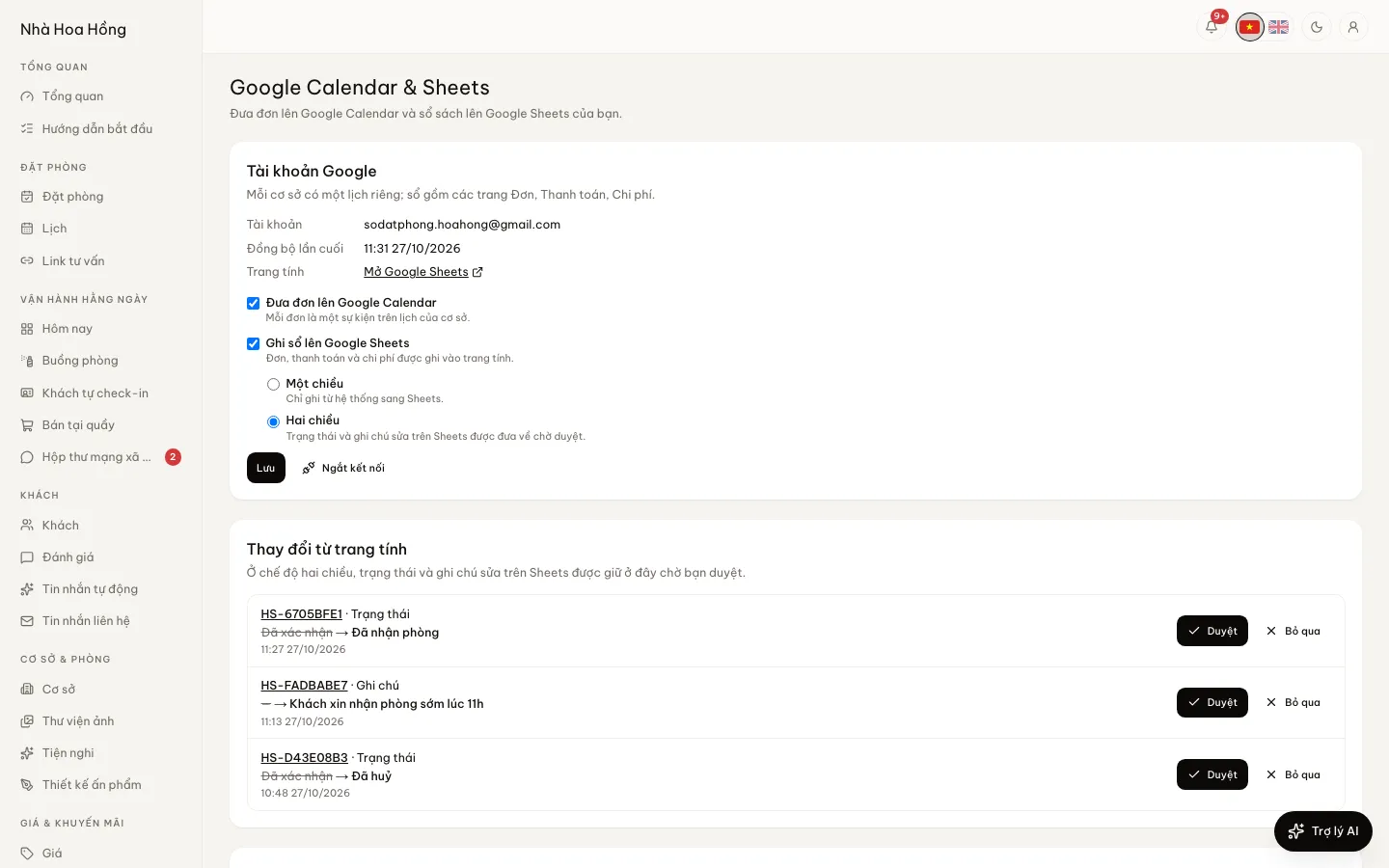
Google Calendar & Sheets
A calendar per property
Confirmed, checked-in and checked-out bookings become events on the property’s own calendar. Move or cancel a booking and the calendar follows.
The books on Google Sheets
One spreadsheet with three tabs, bookings, payments and expenses, kept up to date. Tap Open in Google Sheets to see it.
One way or two way
One way: the system writes to the sheet only. Two way: status and note edits made on the sheet come back to a queue for approval.
Approve changes from the sheet
Each change shows the field that was edited. Approve applies it as if done in the admin, or Reject it.
Import bookings from Google Sheets
Paste the link of the sheet you use today, pick a property and a default room type, preview and import. Imported bookings are confirmed and hold their rooms.
How it works
Up and running in a few steps
- 1
Open Google Calendar & Sheets, tap Connect Google and choose the account.
- 2
Turn on Put bookings on Google Calendar and Keep the books on Google Sheets.
- 3
Choose One way or Two way.
- 4
If you keep bookings in a sheet already, paste its link under Import bookings from Google Sheets, tap Preview and import.
Connecting uses the platform’s Google app. If the page says the platform has not enabled Google yet, contact support. Only whole-brand managers connect and change the settings.
Questions
Common questions
Does changing a price or date on the sheet change the booking?
No. Two-way takes only status and notes, and they must be approved. Prices, dates and rooms are changed in the admin.
If I disconnect, do the calendar and sheet disappear?
No. What is already on Google stays in your account; it just stops updating.
How is this different from the OTA iCal sync?
OTA sync blocks dates across sales channels. Google Calendar & Sheets is a copy for you to read and keep books in.