

Take deposits and room payments by VietQR
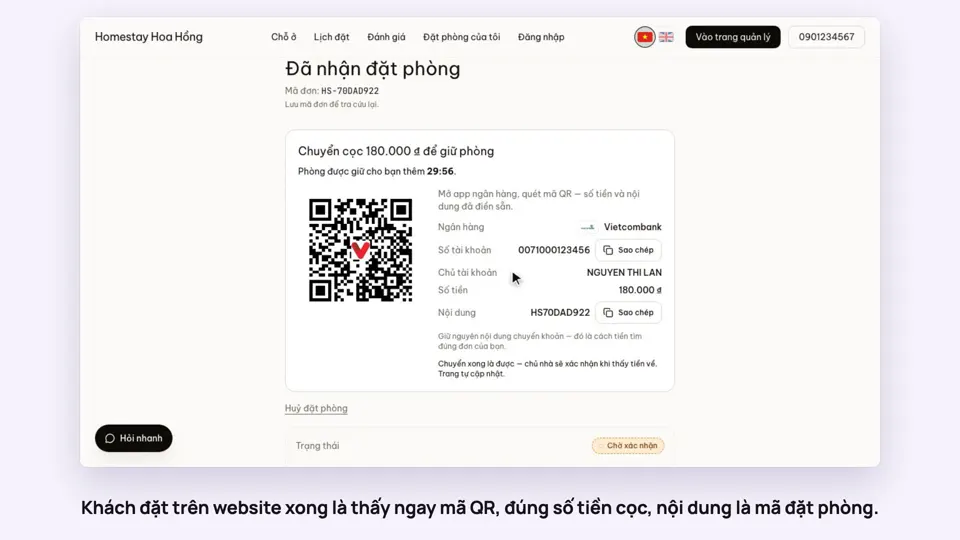
When guests book, they see a QR code with the deposit amount and the booking code as the memo. The money goes straight into your bank account; HostBooking never holds it.
Included from the Free plan.
 Tap to view
What it does
VietQR payments
Right amount, right booking code
Guests type no account number or memo. You set the deposit percentage and how long a room is held for it; unpaid bookings cancel themselves when time runs out.
Auto-confirm with SePay
Connect SePay once. A transfer with the booking code confirms the booking and notifies the guest, even at midnight. Without it, you click Deposit received on the booking.
Record cash and manual transfers
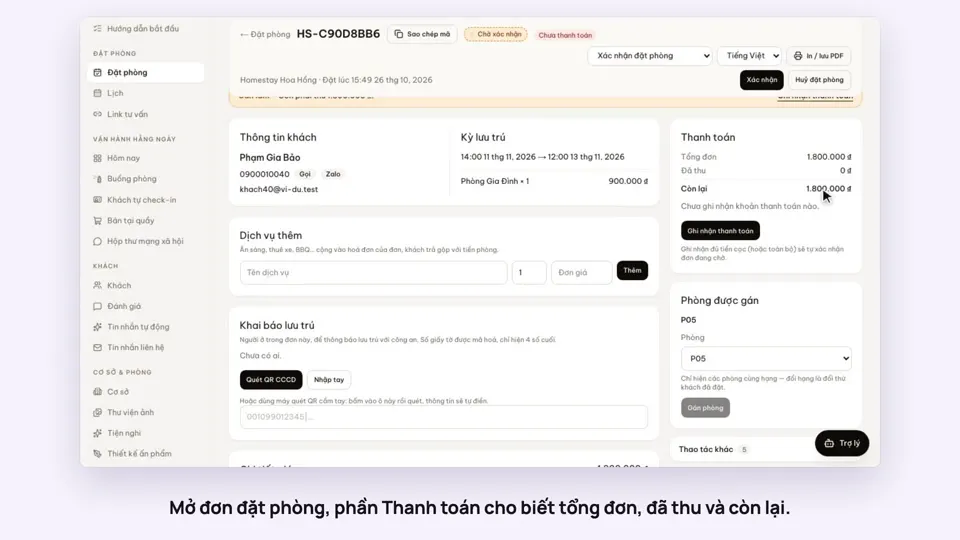
Record each payment on the booking with its reference. Once the deposit is covered, a pending booking is confirmed.
Refunds with approval
Staff without refund rights send a request with a reason and the account to pay. Someone with the right approves or rejects it.
Read aloud when money arrives
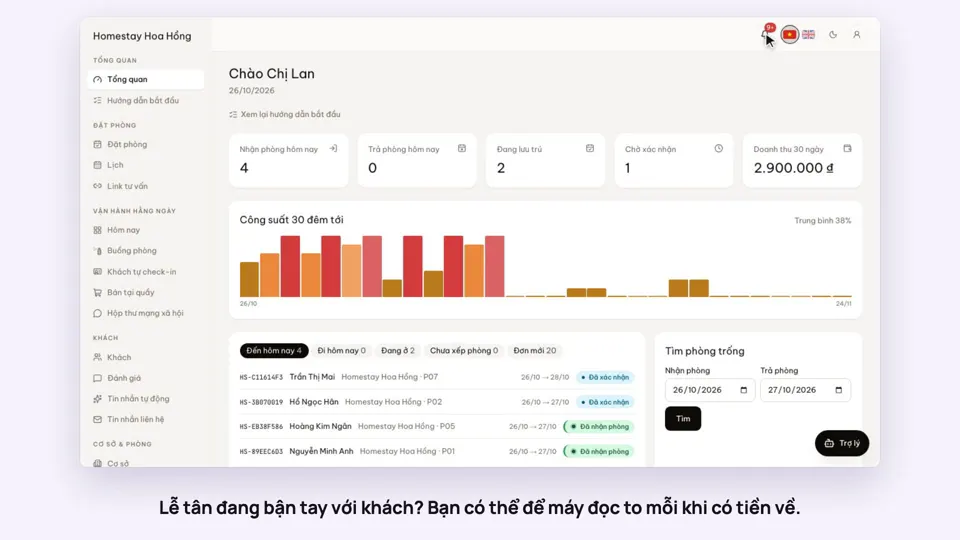
Turn on Read payments in the notification bell. The browser reads out the amount and the booking code.
Payments that need a person
Wrong amounts, double payments, or money for a room that is already gone land in a Needs attention list for someone to decide.
Your own desk payment methods
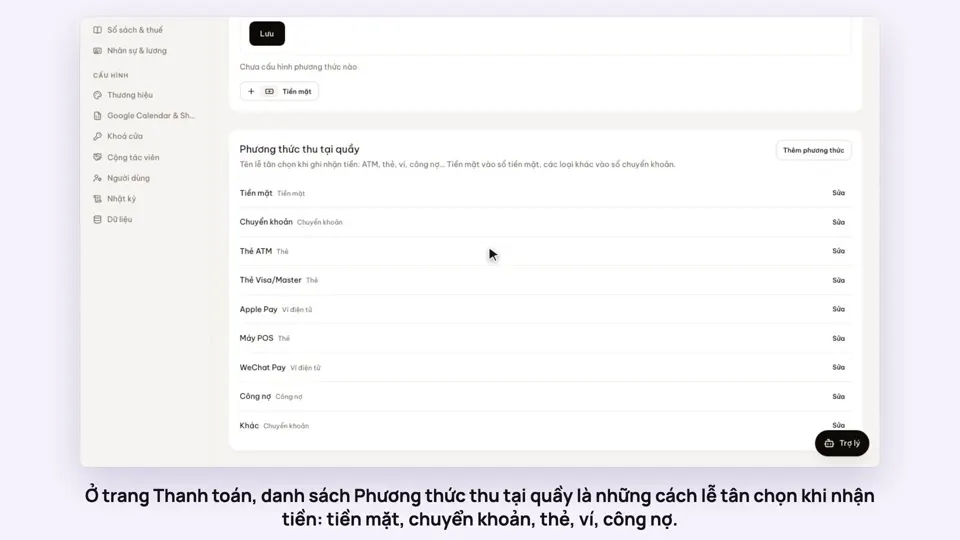
Cash, bank transfer, ATM card, Visa/Master, Apple Pay, POS terminal, WeChat Pay, on account and other come ready. Add, rename or switch off methods on the Payments page; the books still count each one as cash or transfer by the kind you pick.
Guests paying in foreign currency
Enter the foreign amount and the exchange rate, and the đồng amount is worked out, rounded to the đồng, and shown on the payment line and the receipt.
How it works
Up and running in a few steps
- 1
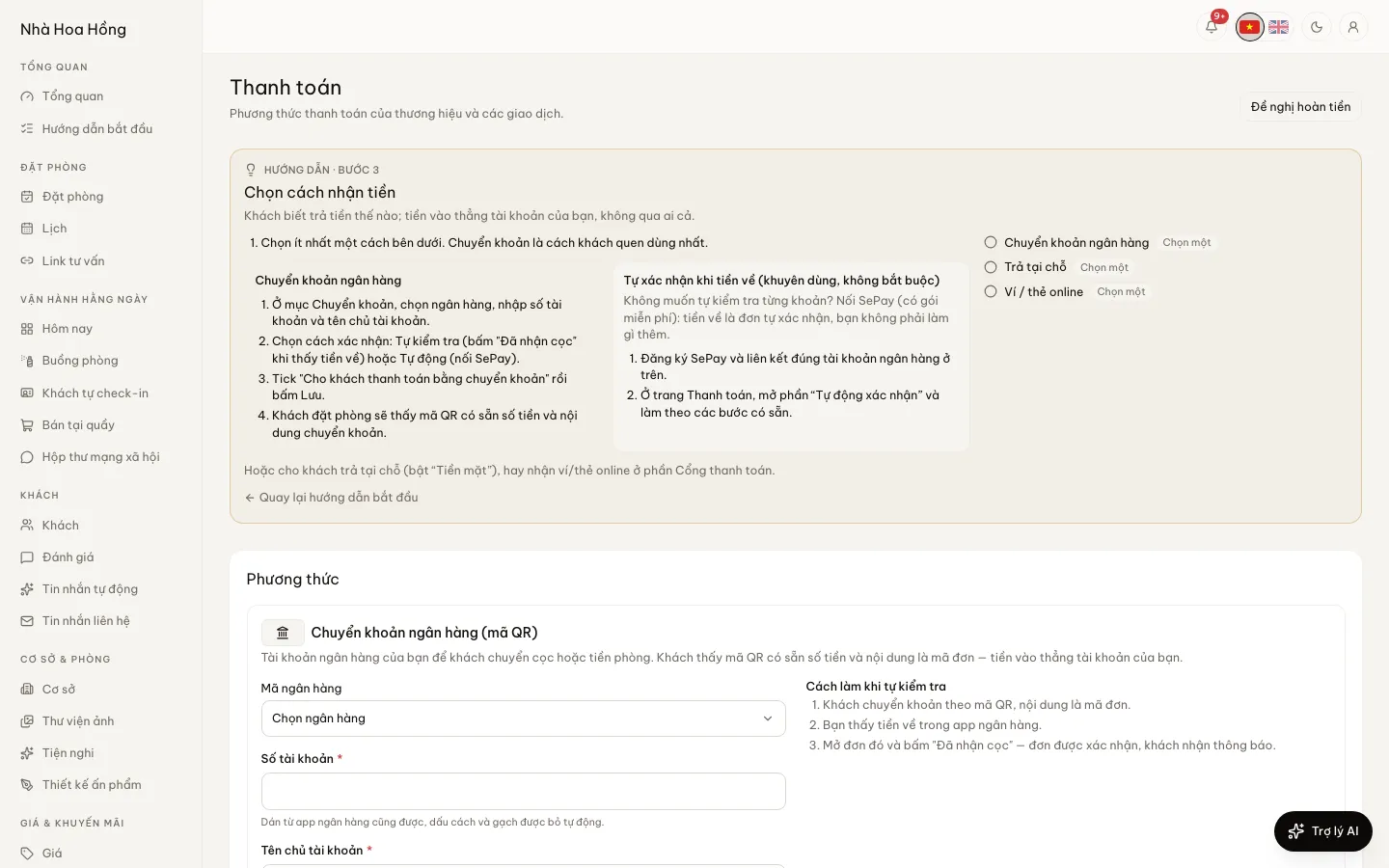
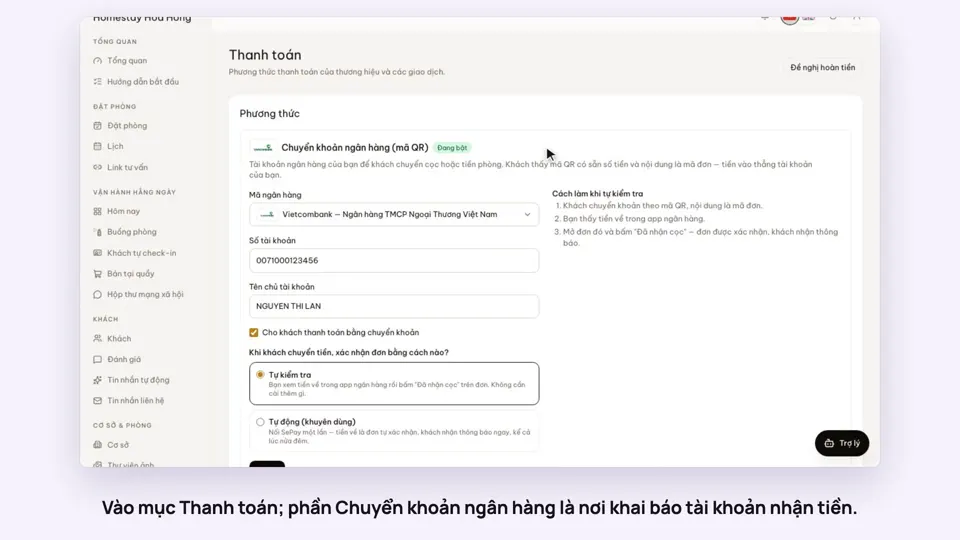
Open Payments, pick your bank, enter the account number and holder name.
- 2
Choose how to confirm: check it yourself, or automatically with SePay (create a key, paste the webhook URL into SePay).
- 3
Set the deposit percentage and hold time on the property page.
- 4
Send a small test transfer with a booking code to check it works.
VietQR bank transfer works on every plan. Online payment gateways (VNPay, MoMo, ZaloPay) start on the Basic plan.
How-to videos
Questions
Common questions
Does HostBooking hold my money?
No. Guests pay straight into the bank account you enter. HostBooking only reads SePay’s incoming-money notices to confirm bookings.
What if a guest forgets the booking code in the memo?
The transfer does not match a booking by itself. It shows under Needs attention, or you record it by hand on the booking.
Does SePay cost anything?
SePay has a free plan you can start on. Its paid plans are priced by SePay.
How do refunds by bank transfer work?
Pay the guest back first, then record the refund on the booking. With a payment gateway, the refund goes through the gateway.