

Staff and payroll in the same place as your bookings
Each person’s profile, the work they did this month and their pay at the end of it. Housekeeping tasks, sales and shifts come straight from the system, with no recounting.
Included from the Free plan.
 Tap to view
What it does
Staff & payroll
Staff profiles
Name, phone, position, department, team, start date. With or without a sign-in. The ID card number is stored encrypted and shows only its last four digits.
Documents about to expire
Record contracts, health certificates or licences with an expiry date. The page flags documents that are expiring soon or have expired.
Monthly scores
Each person’s housekeeping tasks, sales, sales total and shifts for the month. The manager gives a 1–5 score and the page grades it A, B, C or D.
Pay from each person’s rule
A fixed monthly salary, pay per task, or a share of desk sales, with a monthly cap on the extra.
Bonuses, penalties, advances
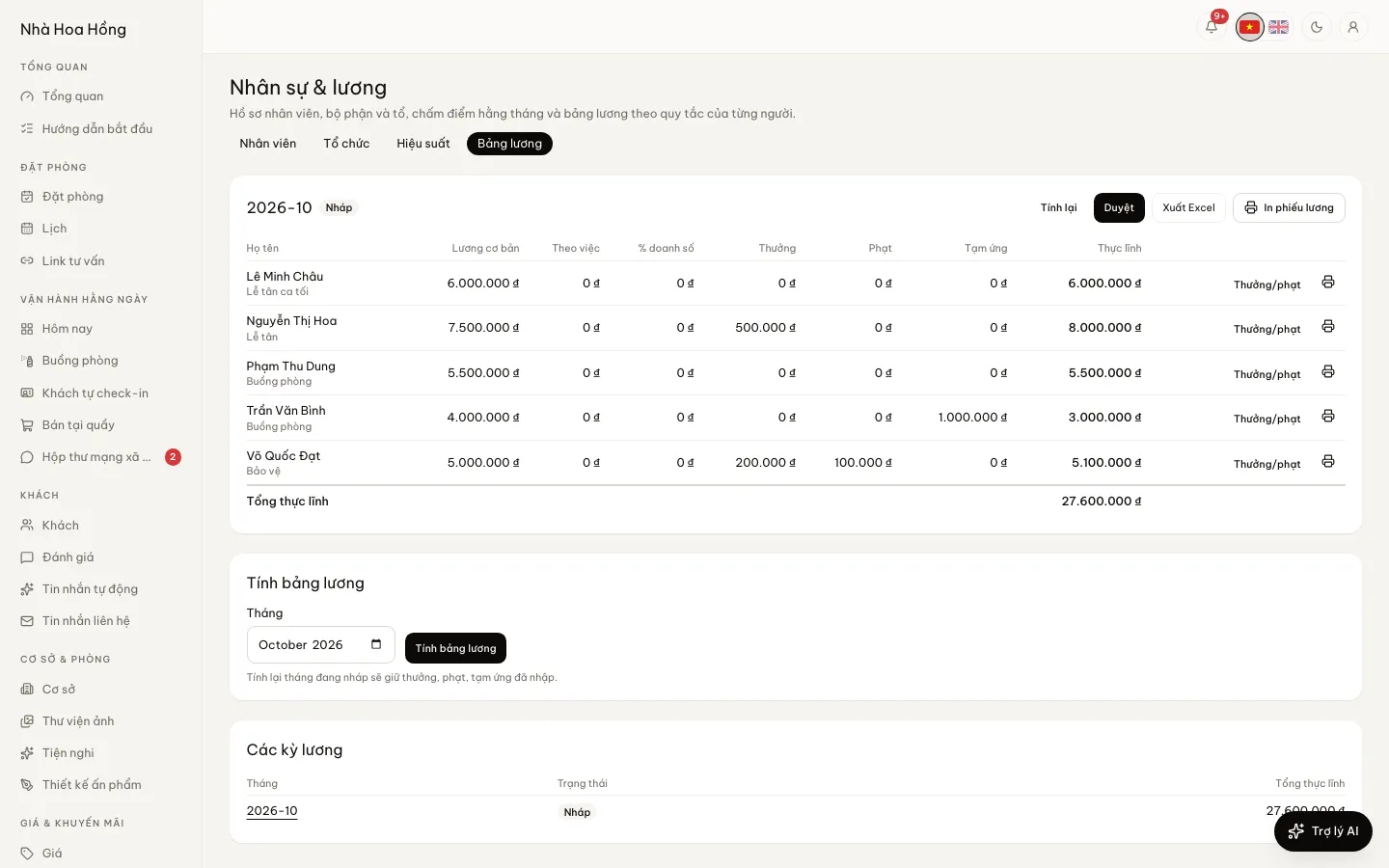
Tap Compute payroll, then add bonuses, penalties and advances on each line. Recomputing a draft month keeps what you entered.
Approve, lock, print
Approve, then lock: the total becomes a Salary expense in your expenses. Print A4 payslips for one person or everyone, or export to Excel.
How it works
Up and running in a few steps
- 1
Open People & pay, tab Organisation: make departments and teams.
- 2
Tab Staff: add each person, link their sign-in if they have one, and choose their pay rule.
- 3
At month end, tab Performance: check tasks, sales and shifts and give a score.
- 4
Tab Payroll: tap Compute payroll, add bonuses, penalties and advances, then Approve and Lock.
- 5
Tap Print payslips or Export Excel.
Tasks, sales and shifts are counted only for staff with a sign-in. Pay is shown only to people with the Work out and lock payroll permission.
Questions
Common questions
Can I add staff who never use the system?
Yes. Choose No sign-in: they still have a profile and a line on the payroll.
Who can see everyone’s pay?
Only people with the Work out and lock payroll permission. Those who manage staff profiles see the profiles but not the money.
Can a locked payroll be changed?
No. Locking closes the month and records the total as an expense. Make changes before you lock.
Does it work out social insurance and income tax?
Not yet. The payroll comes from pay rules, bonuses, penalties and advances; enter other deductions as a penalty or advance.