

Front desk: QR check-in, hourly fees, alerts on time
The desk jobs that used to need memory or a notebook: finding the right booking when the guest walks in, charging for an early arrival, knowing who has not come and which room is not ready.
Included from the Free plan.
 Tap to view
What it does
Front desk
Check-in QR code
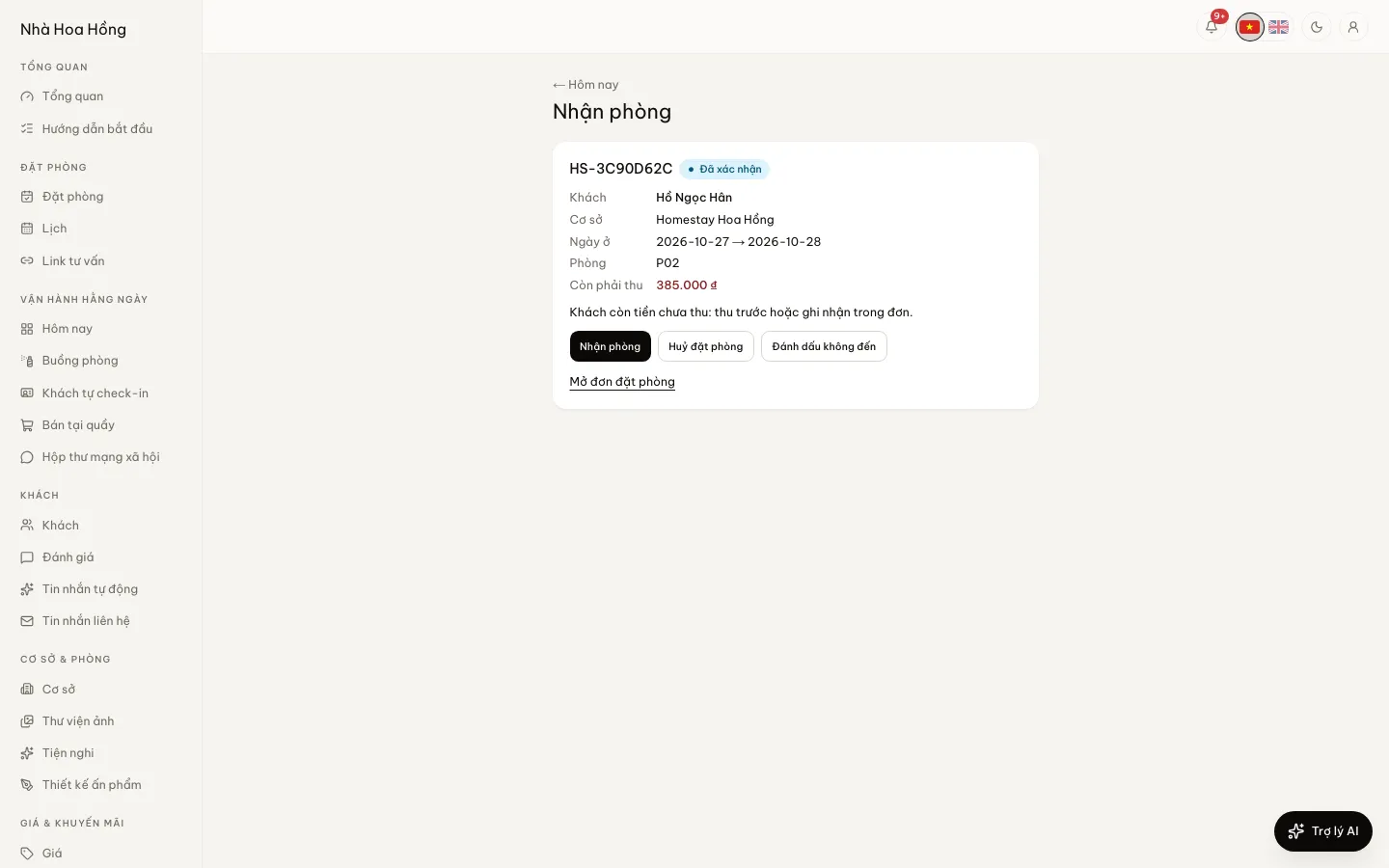
A confirmed booking shows a QR code on the guest’s booking page. The desk taps Scan check-in code on the Today page, or opens it with a phone camera, and gets the booking: guest, dates, room, amount due and a Check in button.
No check-in on the wrong day
The code works from the arrival date. Scanned earlier, the page says it is not check-in day yet. If the guest still owes money, the page says to collect it first.
Early check-in and late check-out fees
Set an hourly rate for early arrival and late departure in the property settings. On the booking, enter the hours and add it: one fee line on the bill, added to the amount due.
Alerts for staff
A guest an hour past check-in time who has not arrived, a stay half an hour past check-out, a room not clean with its guest due within 2 hours. Once per booking.
Morning summary
From 6 am, a summary of the day: arrivals, departures, in house, bookings waiting for a deposit, housekeeping tasks and money received yesterday. In the bell, and by Zalo or Gmail if you choose.
A 90-minute practice copy for new staff
On the Getting started page, open a sample homestay with bookings, guests, money and housekeeping tasks for staff to practise on. Your real data is not touched and no message or email is sent.
A dashboard for the desk
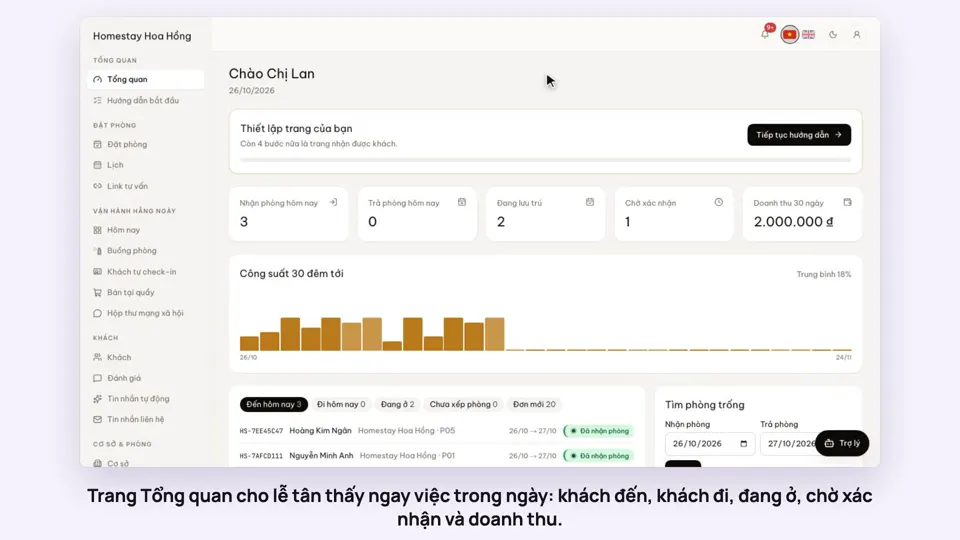
A 30-night occupancy strip, with tabs for arrivals, departures, in house, bookings with no room in the next 7 days and bookings made in the last 24 hours. A quick availability search shows which room types are free and the total price for the stay.
Desk bookings at an agreed price
Staff allowed to set prices can enter an agreed nightly price, or a discount as an amount or a percentage with a reason. The deposit is recorded in the same form. A booking for several rooms gets one room number per room.
OTA channel, OTA code, commission
Each booking can carry its OTA channel, the OTA’s booking code, the commission (an amount or a percentage) and who collects the guest’s money: the property, the OTA or online payment. The booking list filters by each of these.
Undo within 15 minutes
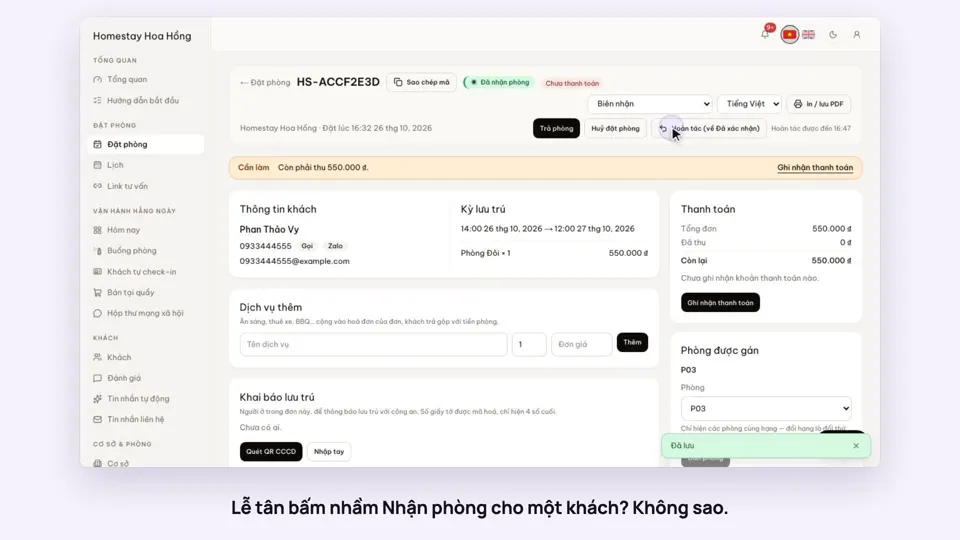
Checked in, checked out or marked a no-show by mistake? For 15 minutes you can undo it and the booking goes back to how it was.
Files on a booking
Attach up to 10 files or photos to a booking: a transfer screenshot, a contract, documents the guest sent.
Print confirmations, registration forms, receipts
Print a booking confirmation, a check-in registration form and a receipt with your logo, room numbers and a VietQR for the amount still owed, in Vietnamese or English. Save as PDF from the browser; brand settings choose what the papers show.
How it works
Up and running in a few steps
- 1
In the property settings, fill in the Early check-in fee and Late check-out fee (₫ per hour) if you charge them.
- 2
Under Notification channels, choose where desk alerts and the morning summary go.
- 3
When a guest arrives, tap Scan check-in code on the Today page and scan the code on their phone.
- 4
Check the amount due and tap Check in. If they stay extra hours, add a fee on the Early check-in / late check-out card of the booking.
The console’s scan button needs a browser that can read QR codes (Chrome on Android or a computer). On an iPhone, open the code with the Camera app.
How-to videos
Questions
Common questions
What if a stranger scans a guest’s QR code?
The code is only a link to the booking. Opening it takes a signed-in staff member allowed to see that booking.
Where does the guest find the QR code?
On their booking page, once the booking is confirmed.
Can I get alerts in the bell only, not on Zalo?
Yes. The bell always has them. Zalo or Gmail only send when you pick that channel for the event.
Does the practice copy mix with my real data?
No. It is a separate sample homestay that closes itself after 90 minutes.
Can I take back a check-out I tapped by mistake?
Yes, within 15 minutes. Undo puts the booking back as it was; the same goes for check-in and no-show.